Strategy Forking
Forking creates an independent copy of a strategy with its own separate version chain. It's like git forking — the copy starts as identical but evolves independently.
Strategy forking is available on the Pro and Enterprise plans.
When to Fork
| Scenario | Use Fork? |
|---|---|
| Making incremental improvements | No — just save a new version |
| Trying a radically different approach | Yes |
| Sharing a strategy with a teammate | Yes |
| Creating a variant for a different market | Yes |
| Preserving a working version before major changes | Yes |
If your change is incremental and the existing strategy is the right baseline, save a new version instead — see the versioning guide for the full version lifecycle.
How to Fork
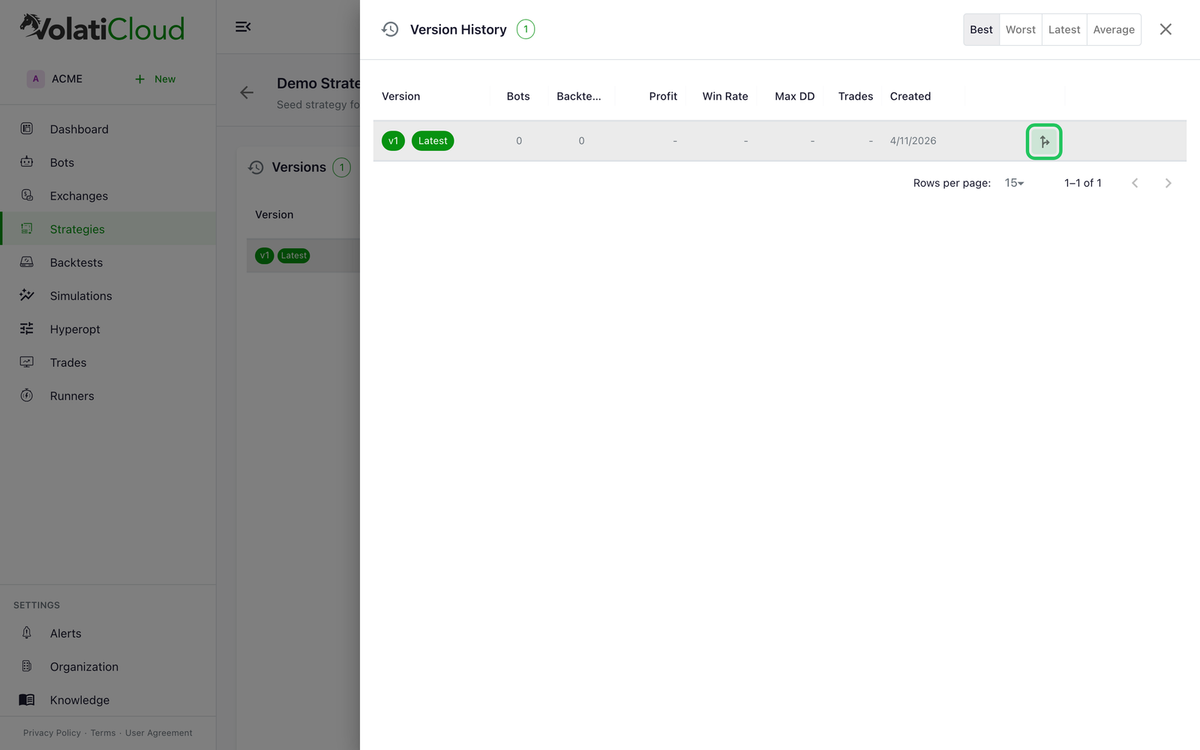
Every version in the Version History can be forked independently, so you can branch from the latest version or from any prior checkpoint.
- Open the strategy you want to fork
- Expand the Version History panel and locate the version you want to fork from
- Click the Fork action on that version's row
- Enter a name for the forked strategy and pick the workspace it should land in
- Click Fork Strategy
The forked strategy appears in your Strategies list as a new, independent strategy. A fork is always created in your active organization.
Fork Behavior
- The fork starts as an exact copy of the selected source version (latest or any historical version)
- It gets its own Version 1
- It has its own independent version chain going forward
- Changes to the fork do NOT affect the original
- Changes to the original do NOT affect the fork
- The fork maintains a reference to the source (
forkedFromfield) for traceability
Backtests and Forks
Backtests are version-specific and not copied when forking. The fork starts with no backtest history — run fresh backtests on your fork to establish its performance baseline. See running backtests for the full workflow.
Use Cases
Market Variant
Fork your BTC/USDT strategy to create a version optimized for ETH/USDT:
- Original: Tuned for BTC's volatility characteristics
- Fork: Adjusted indicator periods and thresholds for ETH
Long/Short Variant
Fork your long-only strategy to create a long/short version:
- Original: Long-only RSI strategy
- Fork: Added short conditions with mirrored logic
Experimentation
Fork before a major rewrite:
- Original: Proven working strategy (keep as-is)
- Fork: Experimental version with new indicator combination
Viewing Fork Lineage
On any forked strategy, you can see:
- The source strategy it was forked from
- The version it was forked from
- The fork date
This provides traceability and helps you understand the strategy's origin.
Deleting a Fork
Deleting a fork does not affect the original strategy. They are completely independent after forking.
Related guides
- Strategies Overview — Trading modes, position direction, and strategy concepts.
- Strategy Versioning — How immutable versions protect your live bots.
- Backtesting Overview — Validate a forked strategy before deploying it live.
- Blog: Strategy Versioning & Forking — Why immutable versions and forks protect live bots during experimentation.