Build a strategy in the UI Builder
The UI Builder is where you assemble a trading strategy from indicator conditions instead of writing Python. You build entry and exit logic in a visual condition tree, and VolatiCloud compiles it for you. Strategies you build here are compiled to Freqtrade-compatible Python, so they execute on the same engine as code-mode strategies and can be ejected to code at any time. If you're comparing platforms, the Visual Strategy Builder feature page on volaticloud.com gives you the capability overview at a glance — this page is the hands-on guide.
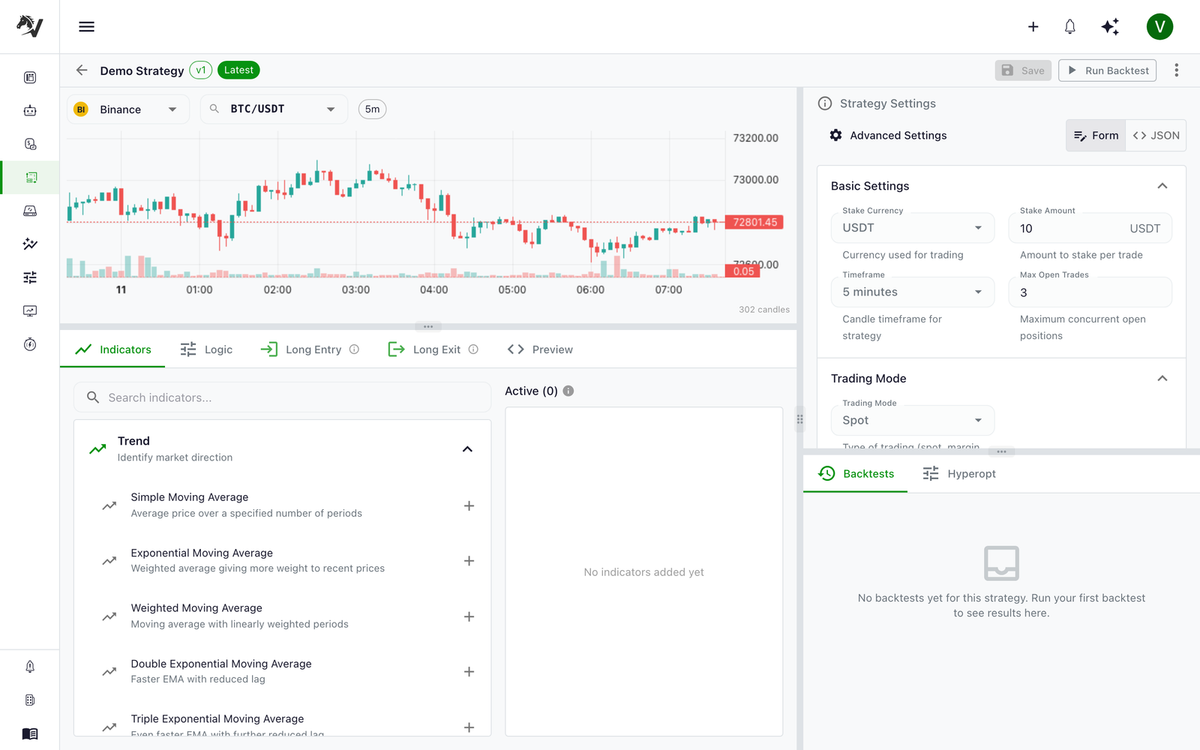
Getting Started
- Navigate to Strategies → New Strategy
- Select UI Builder mode
- Configure your strategy settings
Strategy Settings
Before defining conditions, configure the basic strategy parameters.
| Setting | Description |
|---|---|
| Timeframe | Candle interval (1m, 5m, 15m, 1h, 4h, 1d, etc.) |
| Trading Mode | Spot, Margin, or Futures |
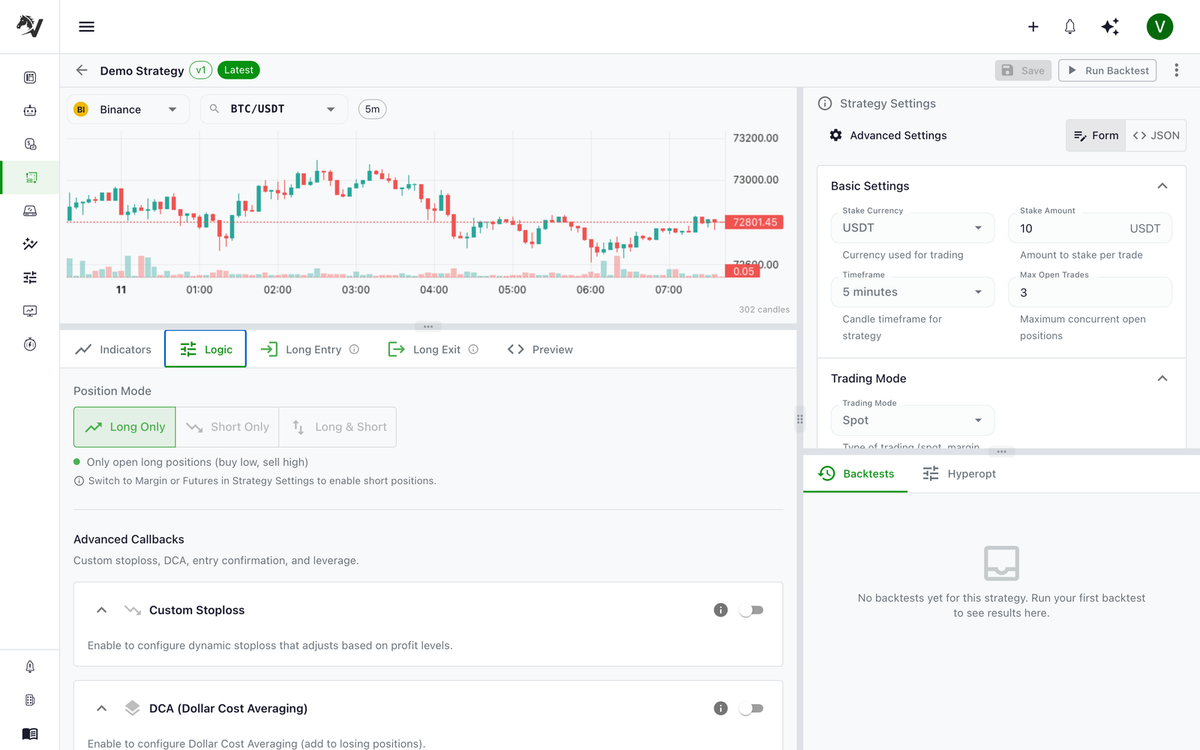
| Position Mode | Long Only, Short Only, or Long and Short |
| Pair Pattern | Which pairs to trade (e.g., BTC/USDT, *USDT) |
The Logic tab controls position direction (long only, short only, long and short) and exposes advanced callbacks such as leverage, DCA, entry confirmation, and stop-loss builders.
Building Entry Conditions
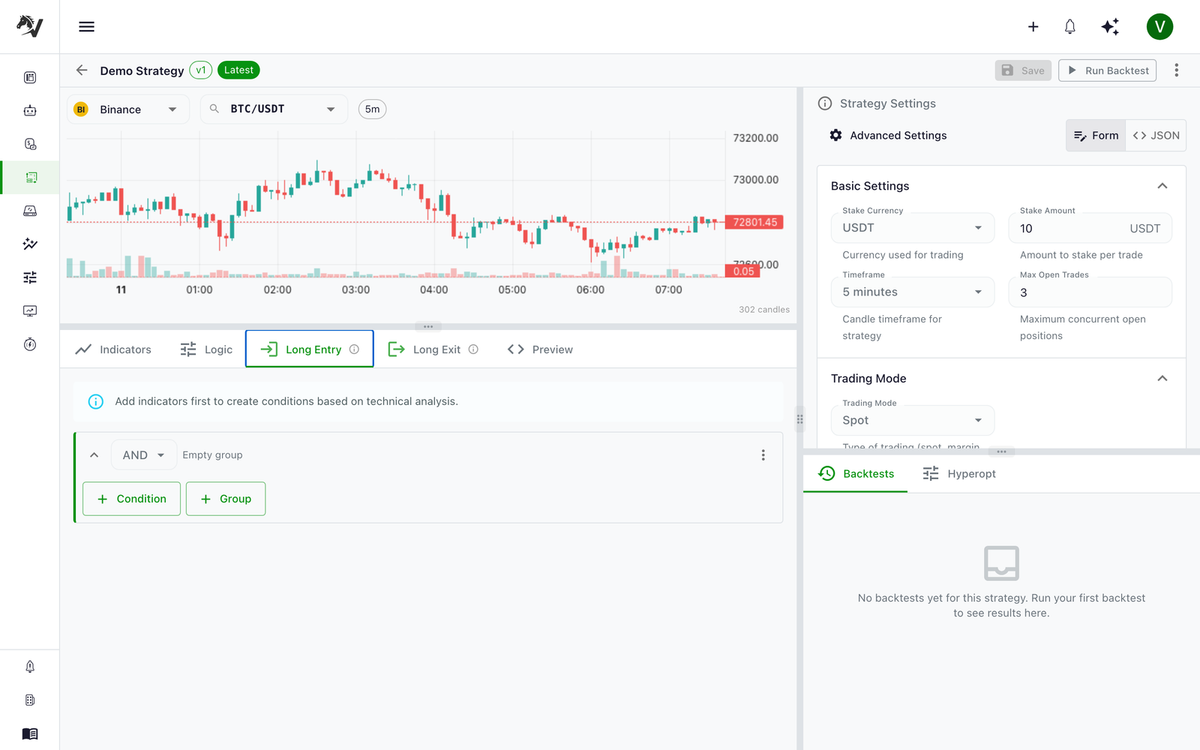
Entry conditions determine when to open a trade.
Adding a Simple Condition
- Click Add Condition in the Entry section
- Select condition type: Compare
- Configure the left operand (e.g.,
RSIwith period14) - Select operator:
<(less than) - Configure the right operand:
CONSTANTvalue30
This creates: "Enter when RSI(14) < 30"
Combining Conditions
Use AND and OR nodes to combine multiple conditions.
Example: Enter when RSI < 30 AND price is above EMA(200)
- Click Add Condition → select AND
- Inside the AND block, add two Compare conditions
- First: RSI(14) < 30
- Second: PRICE(close) > EMA(200)
Crossover Conditions
Detect when one indicator crosses another:
CROSSOVER: MACD_line OVER MACD_signal
This triggers when the MACD line crosses above the signal line.
Building Exit Conditions
Exit conditions determine when to close a trade. The logic is the same as entry conditions.
Example: Exit when RSI > 70
COMPARE: RSI(14) > 70
Available Indicators
Trend
- SMA(period) — Simple Moving Average
- EMA(period) — Exponential Moving Average
- WMA(period) — Weighted Moving Average
- DEMA(period) — Double EMA
- TEMA(period) — Triple EMA
- KAMA(period) — Kaufman Adaptive MA
Momentum
- RSI(period) — Relative Strength Index
- MACD(fast, slow, signal) — Moving Average Convergence Divergence
- STOCH(k_period, d_period) — Stochastic Oscillator
- STOCH_RSI(period) — Stochastic RSI
- MOM(period) — Momentum
- ROC(period) — Rate of Change
- WILLR(period) — Williams %R
- CCI(period) — Commodity Channel Index
Volatility
- BB(period, std) — Bollinger Bands (upper, middle, lower)
- ATR(period) — Average True Range
- KC(period) — Keltner Channel
Volume
- OBV — On-Balance Volume
- MFI(period) — Money Flow Index
- CMF(period) — Chaikin Money Flow
- AD — Accumulation/Distribution
Other
- ADX(period) — Average Directional Index
- VWAP — Volume Weighted Average Price
- ICHIMOKU — Ichimoku Cloud
- SAR(af, max_af) — Parabolic SAR
- SUPERTREND(period, multiplier) — Supertrend
- PIVOT — Pivot Points
Long/Short Configuration
When Long and Short position mode is selected, you configure separate conditions for each direction.
| Direction | Entry | Exit |
|---|---|---|
| Long | Conditions to buy/go long | Conditions to close longs |
| Short | Conditions to sell/go short | Conditions to close shorts |
Mirror Mode
Enable Mirror to automatically invert your long conditions for shorts:
RSI < 30(long entry) becomesRSI > 70(short entry)- Crossovers become crossunders
- Comparison operators flip
Advanced Features
Leverage Builder
Configure leverage rules for margin/futures trading:
- Set fixed leverage (e.g., 3x)
- Define leverage by pair pattern
- Use expressions based on market conditions
Stop-Loss Builder
Configure stop-loss parameters:
- Fixed percentage (e.g., -10%)
- ATR-based dynamic stop-loss
- Trailing stop-loss
DCA (Dollar Cost Averaging)
Configure automatic position averaging:
- Define DCA entry conditions
- Set maximum DCA order count
- Configure stake amount multipliers
Code Preview
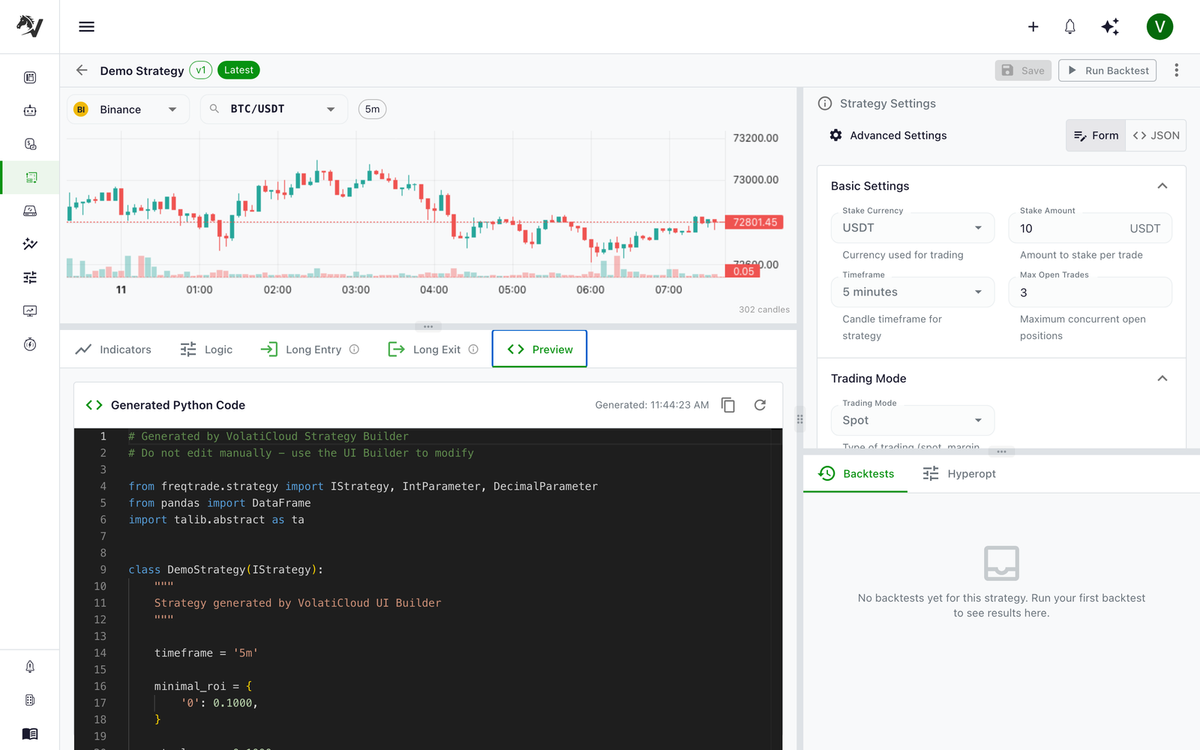
Before saving, you can preview the generated Python code.
- Click Preview Code in the top right
- Review the generated Freqtrade strategy
- Save when satisfied
Saving Your Strategy
Click Save Strategy. This creates a new version of your strategy. Previous versions are preserved.
Converting to Code Mode
If you need functionality beyond the UI Builder's capabilities:
- Click Eject to Code
- Confirm the one-way conversion
- The generated Python opens in Code Mode
This is irreversible for this version. Create a fork first if you want to keep the UI Builder version.
Related guides
- Strategies Overview — Trading modes, position direction, and strategy concepts.
- Code Mode — Write strategies in Python for full flexibility.
- Strategy Versioning — How immutable versions protect your live bots.
- Backtesting Overview — Validate your UI Builder strategy against historical data.
- Blog: Multi-Timeframe Strategies — Add per-indicator timeframes for higher-TF trend filters.
- Blog: Volume Indicators for Crypto Bots — Wire OBV, VWAP, MFI, and CMF into your conditions.