Strategies
A Strategy defines the trading logic for your bots — when to enter a trade, when to exit, which indicators to use, and how to manage positions. Strategies are versioned, can be forked, and run identically across backtest, paper trading, and live execution.
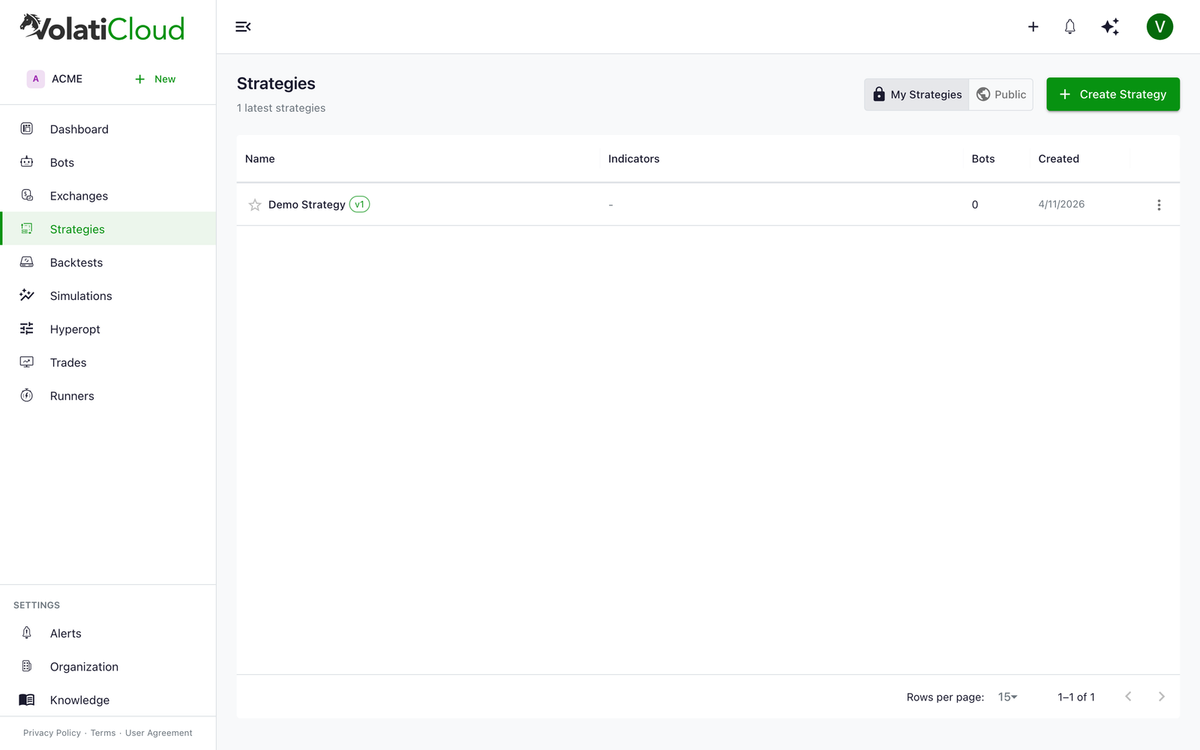
Strategy Modes
VolatiCloud supports two strategy creation modes — pick the one that matches your team's skillset.
UI Builder Mode
The UI Builder is a visual, no-code strategy builder. You drag and drop conditions, select indicators from a library, and define entry/exit logic through a tree interface — no Python knowledge required. Strategies built this way are compiled to Freqtrade-compatible Python under the hood, so they execute on the same engine as code-mode strategies.
Best for:
- Traders new to algorithmic trading
- Quickly prototyping strategy ideas
- Non-developers who want to automate their manual trading rules
Code Mode
Code Mode lets you write full Python strategies using the Freqtrade strategy API. This gives you complete control over every aspect of the strategy — custom indicators, advanced callbacks, hyperopt parameters, and any logic that fits inside the Freqtrade contract.
Best for:
- Experienced developers
- Complex multi-indicator strategies
- Strategies requiring custom logic not available in the UI Builder
Code Mode is available on the Pro and Enterprise plans. The Starter plan supports UI Builder only.
Ejecting from UI Builder to Code
You can convert a UI Builder strategy to code at any time by clicking Eject to Code. This generates the Python for your current strategy configuration and opens it in Code Mode.
Ejection is one-way — once you eject to code, you cannot go back to the UI Builder for that strategy version. Create a fork first if you want to preserve the UI Builder version.
Strategy Detail View
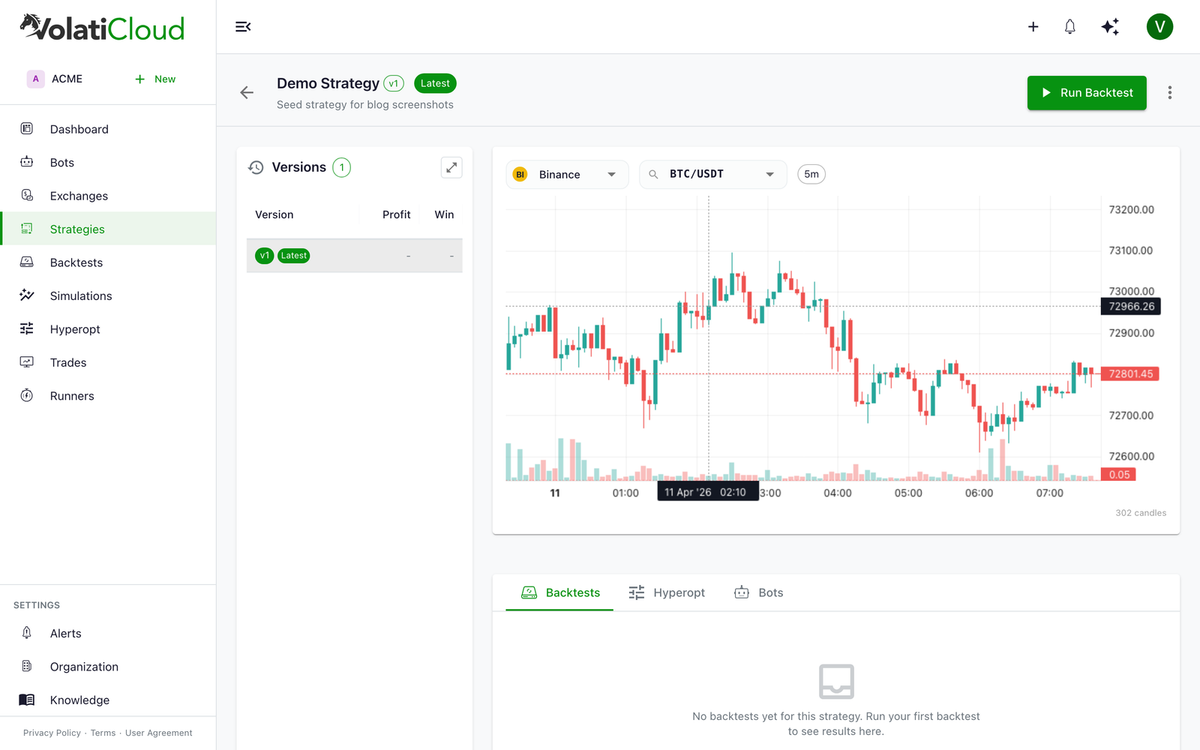
Opening a strategy reveals the detail view — a live Binance price chart, the version history, and embedded panels for launching Backtests, running Hyperopt, and viewing linked Bots. From here you can edit the latest version, run backtests, or manage visibility.
Strategy Versioning
Every time you save a strategy, VolatiCloud creates a new immutable version:
- Old versions are preserved forever
- Backtests are linked to specific versions
- Bots always run the version they were configured with
- You can compare performance across versions
See the versioning guide for the full lifecycle and the forking guide for creating independent copies of an existing strategy.
Strategy Components
Indicators
VolatiCloud supports 27 built-in indicators across five categories, plus a CUSTOM expression for arbitrary Python.
| Category | Indicators |
|---|---|
| Trend | SMA, EMA, WMA, DEMA, TEMA, KAMA |
| Momentum | RSI, MACD, MOM, ROC, Stochastic, Stochastic RSI |
| Volatility | Bollinger Bands, ATR, Keltner Channel |
| Volume | OBV, MFI, CMF, AD |
| Other | ADX, CCI, Williams %R, VWAP, Ichimoku, SAR, Supertrend, Pivot Points |
Operands
In entry/exit conditions, operands can be:
| Type | Description |
|---|---|
CONSTANT | A fixed number (e.g., 30) |
INDICATOR | An indicator value (e.g., RSI(14)) |
PRICE | Market price (open, high, low, close, volume) |
TRADE_CONTEXT | Current trade data (e.g., open profit %) |
TIME | Time-based values |
Condition Types
| Type | Description |
|---|---|
AND | All sub-conditions must be true |
OR | At least one sub-condition must be true |
NOT | Inverts a condition |
COMPARE | Compares two operands (e.g., RSI < 30) |
CROSSOVER | Detects upward cross between two values |
CROSSUNDER | Detects downward cross |
IN_RANGE | Checks if value is between two bounds |
IF_THEN_ELSE | Conditional branching |
Trading Modes
| Mode | Description |
|---|---|
| Spot | Buy/sell the underlying asset |
| Margin | Leveraged trading of the underlying asset |
| Futures | Perpetual or quarterly futures contracts |
Position Direction
| Mode | Description |
|---|---|
| Long Only | Only open long (buy) positions |
| Short Only | Only open short (sell) positions |
| Long and Short | Open positions in both directions |
Next Steps
- Building strategies in the UI Builder — Indicators, conditions, and the Python it generates
- Code Mode Guide — Write Python strategies
- Strategy Versioning — Understand immutable versions
- Strategy Forking — Create independent copies
Learn more
- Blog: No-Code Visual Strategy Builder — How the UI Builder generates Freqtrade-compatible Python without any code.
- Blog: Strategy Versioning & Forking — How immutable versions and forks protect live bots during experimentation.
- Blog: Avoiding Overfitting in Backtests — Validate your strategy so it generalizes beyond historical data.
- Blog: Multi-Timeframe Strategies — Pull higher-timeframe context into your entry logic.