Running Backtests
This guide walks you through setting up and launching a crypto strategy backtest on VolatiCloud — from a saved strategy version to a complete trade log in under a minute.
For an overview of how backtesting fits into the broader strategy validation workflow, see the backtesting overview and the crypto backtesting deep dive. If you're still evaluating the platform, the backtesting feature page on volaticloud.com summarizes what the engine covers before you sign up.
Starting a Backtest
There are two entry points: launching from a strategy you're editing, or from the Backtests page.
From the Strategy page
-
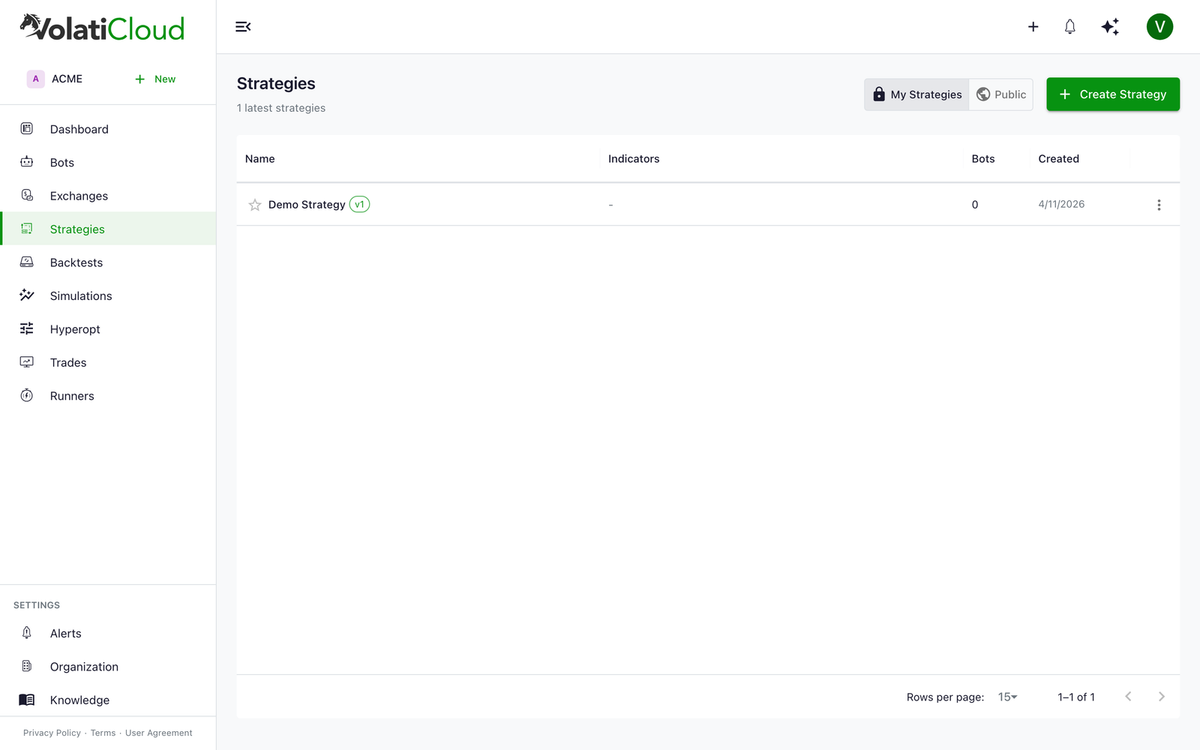
Open a strategy from the Strategies list.
-
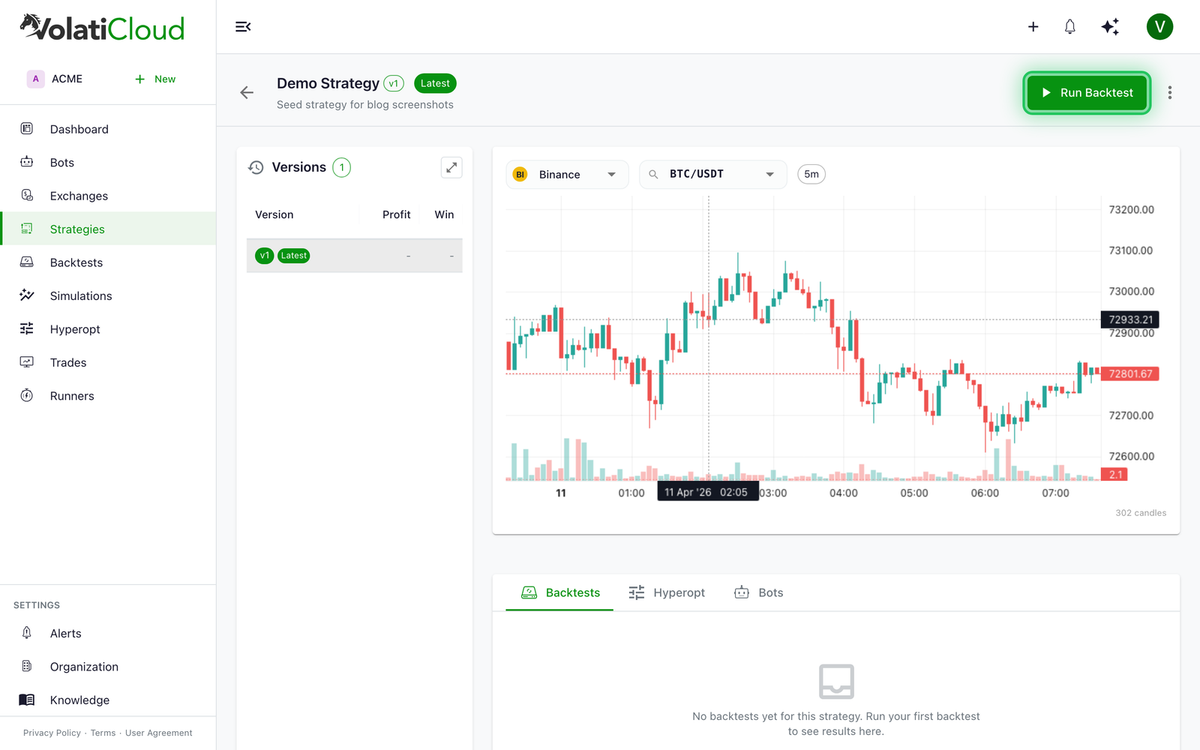
In Strategy Studio, click the Run Backtest toolbar button.
-
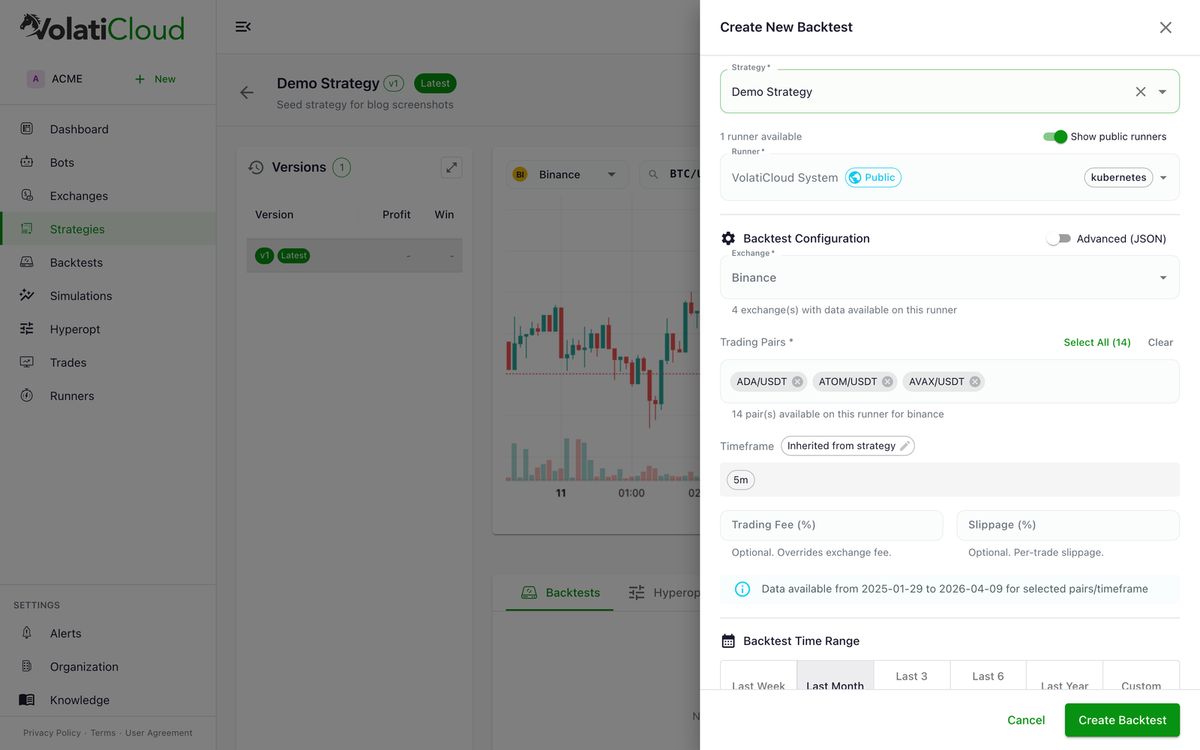
Configure the backtest parameters in the drawer.
From the Backtests page
- Navigate to Backtests → New Backtest
- Select the strategy to backtest
- Configure parameters
Backtest Configuration
Exchange
Select which exchange's historical OHLCV data to use. This affects:
- Available trading pairs
- Historical data coverage (Binance has the deepest history; newer exchanges may only have 1–2 years)
- Exchange-specific rules (fees, tick sizes, lot sizes)
Use Binance for backtesting when possible — it has the deepest historical data and the broadest trading pair coverage. You can still deploy the live bot to a different exchange afterwards via the exchange wizard.
Trading pair(s)
Enter the trading pair(s) to backtest:
BTC/USDT— single pairETH/USDT, BNB/USDT— multiple pairs (comma-separated).*USDT— regex to match all USDT-quoted pairs
Date range
| Field | Description | Recommendation |
|---|---|---|
| Start Date | When the backtest begins | At least 12 months ago |
| End Date | When the backtest stops | Yesterday or earlier |
Use at least 12 months of data for meaningful results. Longer periods (2–3 years) give more reliable statistics, including different market conditions (bull, bear, sideways). Reserve the most recent 20–30% as a holdout for out-of-sample validation.
Stake amount
The amount per trade in your stake currency. This affects:
- Absolute profit/loss values
- Fee calculations
- Position sizing
For comparative testing across strategy versions, use a consistent stake amount (e.g., 100 USDT).
Stake currency
The currency used as the base for trades (typically USDT or BTC).
Running the Backtest
- Review your configuration
- Click Run Backtest
- Monitor progress in real time via the progress indicator
Backtests typically complete in:
- Simple strategies: 10–30 seconds
- Complex strategies with many pairs: 1–5 minutes
- Large date ranges (5+ years): 5–15 minutes
Backtest Progress
While running, the UI shows:
- Real-time progress percentage
- Current phase (downloading data, backtesting)
- Estimated time remaining
Status updates stream over GraphQL WebSocket subscriptions — no page refresh needed.
Cancelling a Backtest
Click Stop to cancel a running backtest. This immediately terminates the backtest and frees the runner for other jobs.
Viewing Backtest Results
Once complete, the backtest results are available immediately. Click the backtest to view:
- Overview — summary metrics and statistics (profit, drawdown, Sharpe, etc.)
- Performance — pair-by-pair performance breakdown
- Breakdown — detailed per-period analysis
- Trades — list of every simulated trade with entry/exit reasons
- Visualize — equity curve, drawdown chart, trade markers
- Config — the configuration used for this backtest (preserved with the strategy version)
For a complete walkthrough of every metric and tab, see analyzing backtest results.
Running Multiple Backtests
You can run multiple backtests on the same strategy:
- Different date ranges — test across different market conditions
- Different trading pairs — compare performance per pair
- Different stake amounts — test position sizing
- Different timeframes — compare 1h vs 4h vs daily candles
VolatiCloud stores all backtest results indefinitely, linked to the exact immutable strategy version used. You can compare metrics across versions side-by-side from the Strategy detail page.
Common Backtest Issues
No trades generated
Possible causes:
- Strategy entry conditions are too restrictive
- The date range doesn't include market conditions that trigger your conditions
- Selected pairs don't have data for the selected date range
Fix: relax entry conditions or try a different date range.
Low trade count
Fewer than 30 trades makes statistical analysis unreliable. Try:
- Extending the date range
- Adding more pairs
- Relaxing entry conditions slightly
Backtest failed
Common failure causes:
- Invalid pair format (use
BASE/QUOTEformat, e.g.,BTC/USDT) - Selected pair not available on chosen exchange
- Date range outside available historical data
- Strategy code error (for Code Mode strategies)
Check the error message in the backtest detail view.
Hyperparameter Optimization
Freqtrade supports hyperparameter optimization (hyperopt) to find optimal parameter values automatically. VolatiCloud supports hyperopt as an active bot operation mode — when running, the bot enters the hyperopt status. See Bot Overview for the full list of bot statuses, and Hyperparameter Optimization for the configuration guide.
Next Steps
- Analyzing Backtest Results — interpret every metric
- Hyperparameter Optimization — automatically tune strategy parameters
- Monte Carlo Simulation — stress-test the trade log against thousands of randomized orderings
- Walk-Forward Optimization — the structured workflow that catches in-sample overfitting before live deployment