Trading Bots
A Bot on VolatiCloud is the core trading unit — the composition of a Strategy (the trading logic), an Exchange connection (where orders are placed), and a Runner (the infrastructure host) into a single automated trading entity. You can have many bots, each with its own combination of those three components.
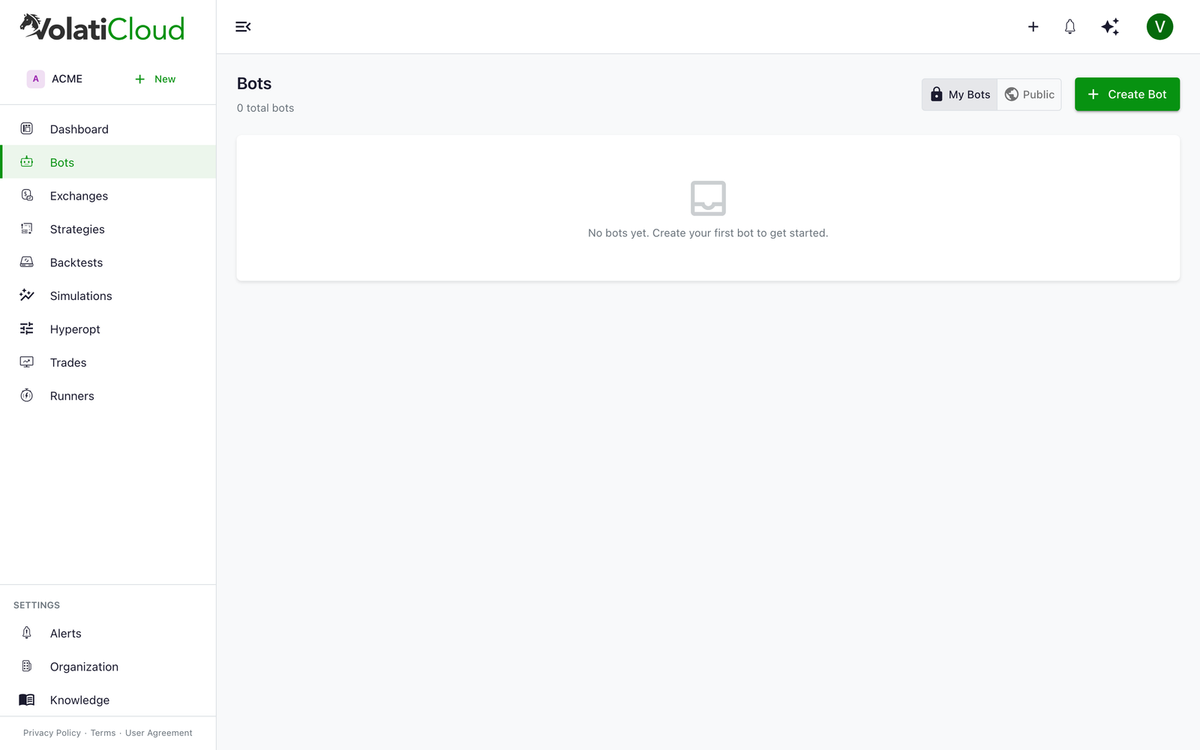
Bots are created from the Bots page using the Create Bot drawer, which gathers everything a running trading instance needs in one step.
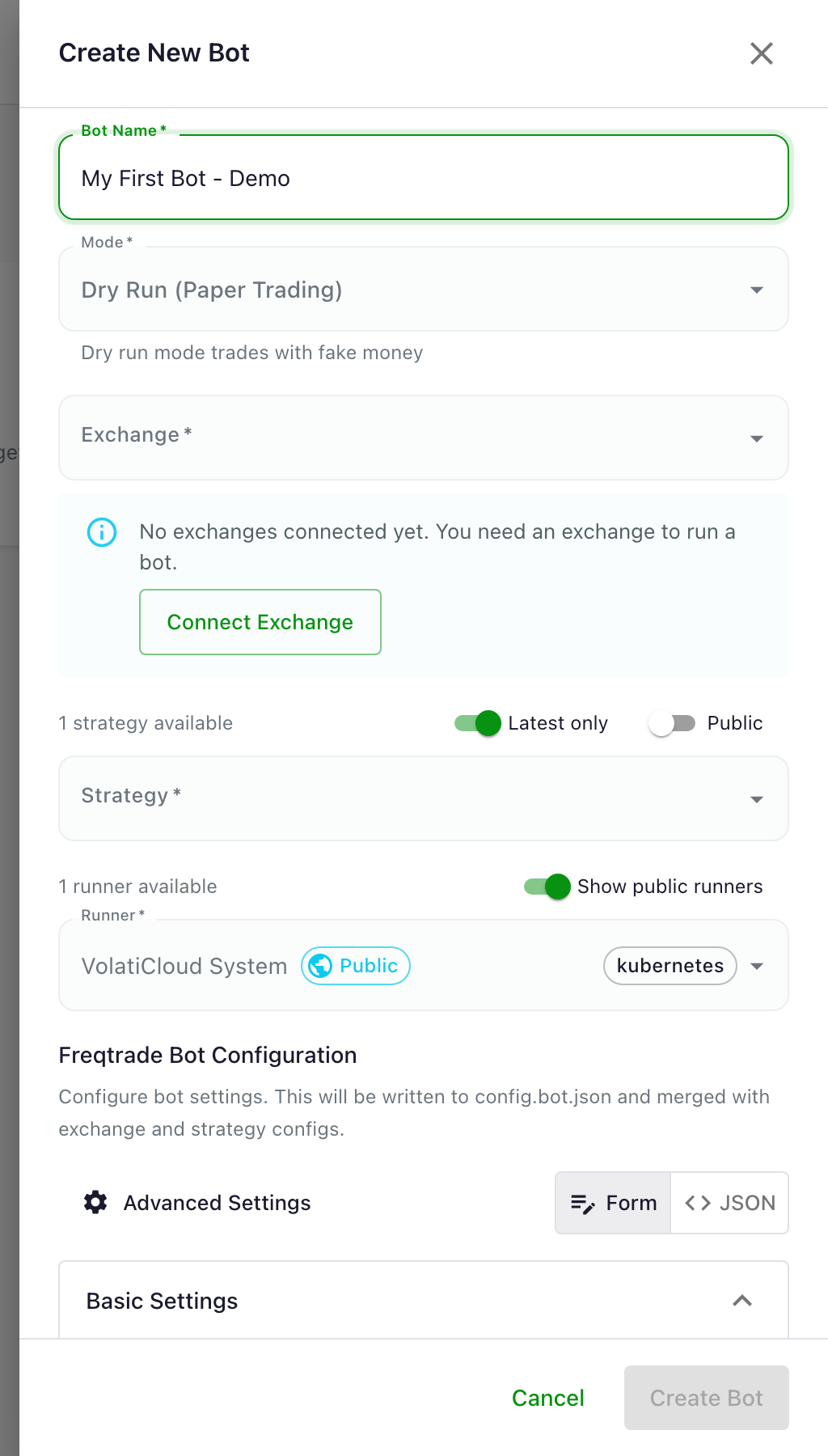
The Bot Composition Model
| Component | Role | Docs |
|---|---|---|
| Strategy | Trading logic — when to buy and sell | Strategies overview |
| Exchange | Where orders are executed (Binance, Bybit, Kraken, OKX, …) | Exchanges overview |
| Runner | The infrastructure host running the bot container | Runners overview |
The same strategy can power multiple bots — for example one running on Binance and another on Bybit, or a paper bot and a live bot side by side. Each combination is its own bot with its own trade history.
Bot Modes: Dry Run vs Live
Dry Run (Paper Trading)
In Dry Run mode, the bot simulates orders without touching a real exchange account. PnL, trade counts, win rate, and analytics are computed exactly as in live mode — only the order placement is simulated. Use Dry Run to:
- Test a new strategy on live market data before risking capital
- Learn the dashboard and the bot lifecycle without real money
- Validate that live execution matches your backtest expectations
The companion paper trading framework blog post covers how long to paper-trade and what metrics to compare before flipping to live.
Live Mode
In Live mode, the bot places real orders on your exchange using the API keys configured on the exchange connection. Before flipping a bot to live:
- Run Dry Run first for a duration matched to your strategy's trade frequency
- Start with a small stake amount (25% of intended size for the first 1-2 weeks)
- Calibrate stop-losses to volatility — see the risk management blog post
- Configure alerts before going live, not after
Bot Status Reference
| Status | Description |
|---|---|
stopped | Bot is not running |
creating | Bot container is being provisioned on the runner |
running | Bot is active and monitoring markets |
error | Bot encountered an unrecoverable error and stopped |
unhealthy | Bot is running but health checks are failing |
backtesting | Bot is running a backtest (temporary state) |
hyperopt | Bot is running hyperparameter optimization (temporary state) |
The full state machine and recovery paths are documented in bot lifecycle.
Bot Actions
From the bot dashboard, you can:
| Action | Description |
|---|---|
| Start | Launch the bot container |
| Stop | Gracefully stop the bot |
| Restart | Stop and restart the bot |
| Pause Entry | Stop opening new trades (keeps existing ones open) |
| Force Exit All | Close all open positions immediately, then stop |
| Force Exit Trade | Close a specific open position |
Bot Detail Tabs
When you open a bot, you'll see these tabs:
| Tab | Content |
|---|---|
| Analytics | P&L, win rate, profit factor, drawdown, Sharpe ratio |
| Open Positions | Current active trades with unrealized P&L |
| Alerts | Alert rules and event history for this bot |
| Usage | CPU/memory/network resource consumption charts |
| Price Chart | Live candlestick chart with trade markers |
| Pair Performance | Performance breakdown by trading pair |
Key Metrics
| Metric | What it means |
|---|---|
| Total Profit % | Overall percentage return since bot started |
| Win Rate | Percentage of trades that were profitable |
| Profit Factor | Gross profits ÷ gross losses (>1 is profitable) |
| Max Drawdown | Largest peak-to-trough decline |
| Expectancy | Average profit/loss per trade |
| Sharpe Ratio | Risk-adjusted return (>1 is good, >2 is excellent) |
Next Steps
- Creating a Bot — Step-by-step bot creation walkthrough
- Bot Lifecycle — States, transitions, and safe restart procedures
- Monitoring Your Bot — Real-time monitoring and metrics
Related Reading
- Self-hosted vs cloud runners — choosing the right infrastructure model
- Real-time bot monitoring — WebSocket-streamed trade events and equity curves
- Paper trading to live framework — the validation gate before live capital