Bot Runners: Cloud vs Self-Hosted Crypto Trading Bots

A bot that misses a stop-loss because its container restarted is not just an inconvenience — it can convert a -3% planned exit into a -12% surprise. The hosting model under your bot is the second-most consequential decision in algorithmic trading after the strategy itself, and most traders pick it by accident on day one. This guide compares the shared public runner with a runner on infrastructure you own, and shows how self-hosting actually works on VolatiCloud: there is no agent to install. You give VolatiCloud a TLS-protected connection to your own Docker host or Kubernetes cluster, and it deploys bots there.
What Is a Bot Runner?
A bot runner is the execution environment where your trading bot's container actually runs. VolatiCloud pulls the Freqtrade image onto it, writes the bot's configuration and strategy, injects the exchange credentials, and then talks to the bot's REST API to monitor it. In short: the runner is the host, the bot is the guest.
When a bot runs, its runner is where VolatiCloud:
- Creates, starts, stops, and removes the bot's container (or pod)
- Keeps the bot's SQLite trade database while it runs
- Backs that database up to S3 and restores it on the next start, if the runner has S3 storage configured
- Downloads the historical market data that bots and backtests on that runner share
Every bot is bound to one runner. VolatiCloud supports two runner types for real trading — Docker (a single host) and Kubernetes (a cluster) — plus a Local type meant only for development. See the runners overview for the full comparison.
Cloud Runners vs Self-Hosted Runners
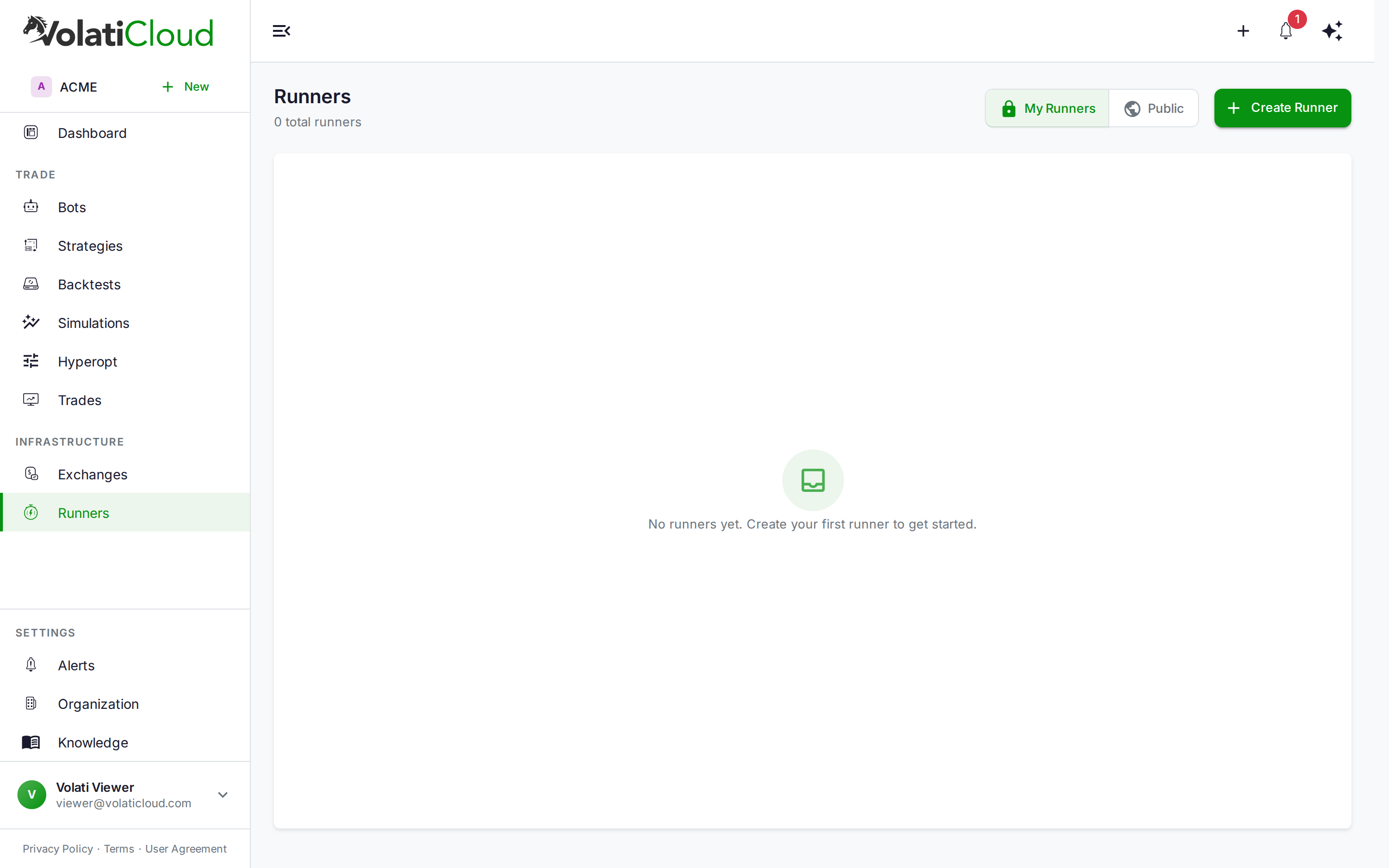
"Cloud runner" here means the platform's shared public runner, which you find under Runners → Public in the console. "Self-hosted" means a Docker or Kubernetes runner you create yourself, pointed at infrastructure you pay for and administer.
| Dimension | Shared public runner | Your own runner |
|---|---|---|
| Setup effort | None — already there | Expose Docker over mutual TLS, or supply a kubeconfig |
| Infrastructure cost | Covered by your plan | Your VPS, dedicated server, or cluster |
| Plan requirement | Any plan that can run bots | Pro (1 runner) or Enterprise (10 runners) |
| Who can see it | Every signed-in VolatiCloud user | Your workspace, unless you make it public |
| Latency to exchange | Wherever the platform cluster is | You pick the region |
| Maintenance | Managed by VolatiCloud | You patch Docker, rotate certificates, watch disk |
| Bot capacity | Your plan's bot cap | Your plan's bot cap, bounded by your hardware |
The shared public runner is the fastest path from sign-up to live execution. Starter cannot create a runner of its own (its runner cap is 0), so every Starter bot runs on a public runner. Assigning a bot to it needs no infrastructure work at all.
A runner of your own trades convenience for control. You run the machine, VolatiCloud connects to it, and any bot you assign to that runner deploys onto your hardware. It is the right choice when you:
- Want bots in a specific region, closer to your exchange's servers
- Operate under data-residency or audit requirements that call for your own hosts
- Already pay for a Hetzner, DigitalOcean, or Vultr box and want to use it
- Want a capacity pool you size and control, separate from shared infrastructure
Two things self-hosting does not change. Your exchange API keys are still stored in VolatiCloud, encrypted, and handed to the bot container at start. And the bot counts against the same plan bot cap either way. Your plan's runner cap limits how many runners you create, not how many bots you run.
How a Self-Hosted Docker Runner Connects
The direction of the connection is the part most people get wrong, including an earlier version of this post. VolatiCloud connects out to your Docker daemon. You don't install an agent, get a registration token, or run a container that calls home. Instead, you expose the Docker daemon on TCP port 2376, protect it with mutual TLS, and paste the client certificates into VolatiCloud.
You need a Linux server with Docker installed, with port 2376 reachable from the internet. VolatiCloud's outbound connections do not come from a fixed IP address, so you cannot limit that port to a VolatiCloud source IP. The client certificate is what keeps strangers out.
-
Generate a CA, a server certificate, and a client certificate with
openssl. The server certificate'ssubjectAltNamemust include the IP or hostname VolatiCloud will connect to. -
Turn on TLS verification in the Docker daemon. In
/etc/docker/daemon.json:{"tlsverify": true,"tlscacert": "/etc/docker/certs/ca.pem","tlscert": "/etc/docker/certs/server-cert.pem","tlskey": "/etc/docker/certs/server-key.pem","hosts": ["unix:///var/run/docker.sock", "tcp://0.0.0.0:2376"]}Then
sudo systemctl restart dockerand open the port withufw allow 2376/tcp. -
Check it from the server before touching the console:
docker --tlsverify --tlscacert=ca.pem --tlscert=cert.pem --tlskey=key.pem \-H=tcp://YOUR_SERVER_IP:2376 version -
Create the runner. In the console, open Runners → Create Runner and pick the Docker type. Set Docker Host to
tcp://YOUR_SERVER_IP:2376, switch on Enable TLS Verification, and pasteca.pem,cert.pem, andkey.peminto the CA certificate, client certificate, and client key fields. -
Click Test Connection, then Create Runner. Bots you assign to this runner now deploy on your server.
The complete walkthrough, with every openssl command and a troubleshooting section, is in the Docker runner docs.
Never expose the Docker daemon on a public port without tlsverify. An unauthenticated Docker API gives anyone who finds it root-equivalent access to the host. The TLS client certificate is the entire access control on that port.
Each Freqtrade bot reserves roughly 250–512 MB of RAM under load. On a 4 GB VPS, plan for 5–6 bots at most after leaving headroom for the host OS. Memory pressure is the most common cause of unexpected bot restarts on shared hardware.
Kubernetes Runners for Bot Fleets
Once you're past 10–15 bots, Kubernetes starts paying for itself. You create a Kubernetes runner by pasting a kubeconfig and choosing a namespace. VolatiCloud then gives each bot its own Deployment, which means:
- Each bot runs in its own pod, so with resource limits set, one bot's runaway memory use cannot take down its neighbours
- A failed pod is rescheduled onto a healthy node
- Per-bot resource usage is visible through standard Kubernetes metrics, and through a Prometheus URL if you give the runner one
Default resource requests and limits can be set on the runner and look like any Kubernetes workload:
resources:
  requests:
    memory: "256Mi"
    cpu: "250m"
  limits:
    memory: "512Mi"
    cpu: "1000m"
A bot pod's working directory is ephemeral: it lives only as long as the pod does. The trade database survives a pod restart, upgrade, or node drain because the runner backs it up to S3-compatible storage and restores it when the bot starts again. So on a Kubernetes runner, S3 storage is effectively required, not an optional extra.
Namespace Sharding
A Kubernetes runner can spread bots across several namespaces (<namespace>-0, <namespace>-1, and so on), assigning each bot by a hash of its ID. That keeps per-namespace object counts and quotas in check at hundreds of bots. Sharding is off by default and only matters at that scale. See the Kubernetes runner guide for cluster preparation and ingress.
Persistent State and Trade Data
The single most important property of any runner is how it handles state. A trading bot's database tracks:
- Every open and closed trade with entry and exit prices and fees
- Custom trade metadata (tags, partial-exit notes, strategy-emitted reasons)
- Internal strategy state the bot keeps between candles
VolatiCloud backs that database up to the runner's S3 storage at several points: when the bot stops, periodically while it runs, and on pod termination for Kubernetes runners. On the next start it restores the latest copy. That is what lets a bot come back from a restart, a crash, or a move to a different runner with its trade history intact.
Configure S3 storage on a runner before you put real capital on it. Without it, trade history lives only on that host: on Kubernetes it is gone when the pod goes, and on Docker it is gone if you lose the server. AWS S3, Cloudflare R2, Backblaze B2, and MinIO all work.
Monitoring Runner Health
VolatiCloud has no heartbeat from your runner, because nothing runs there on VolatiCloud's behalf. Instead it judges a runner by whether it can reach the bots running on it. The Status column on the Runners page shows one of:
- Available — running bots on this runner were contacted recently
- Unreachable — running bots on it have gone quiet for too long
- Unknown — no bots are running, so there is nothing to observe yet
- Unsupported — the runner type has no live monitoring
When the monitor cannot reach a bot, the built-in Connection Issue alert rule notifies you, and the bot's own status reflects the problem.
Be clear about what an unreachable runner means. Freqtrade runs on the runner, not in VolatiCloud. If VolatiCloud loses its connection to a healthy host, the bot keeps trading. You lose visibility and control until the connection is back. If the host itself goes down, trading stops, and restarting the bot on another runner is what S3 backups make safe. The bot monitoring guide covers what the dashboard shows for each bot.
Choosing the Right Setup
For most traders the answer is: start on the shared public runner, move when you have a reason. It removes every infrastructure concern and lets you focus on the Visual Strategy Builder and backtesting.
Move to a runner of your own when one of these is true:
- You've validated a strategy through backtesting and a paper-trading window and are deploying meaningful capital
- Region matters for your strategy and you want to choose it
- You already pay for a server, and your plan lets you create a runner (Pro or Enterprise)
- You're running a multi-bot portfolio and want a capacity pool you control
- Compliance or audit requirements call for execution on hosts you administer
You don't have to pick one model for everything. Choose the runner per bot and run some bots on the public runner and others on your own.
The 7-day Pro trial includes the shared public runner and lets you create one runner of your own. A card is collected at checkout, but nothing is charged before day 7: you can deploy a paper-trading bot, watch live execution, and cancel before the trial converts to paid Pro.
A Practical Migration Path
The cleanest sequence for someone serious about going live:
- Build and backtest. Use the Strategy Builder and backtesting workflow to find a strategy with a defensible edge.
- Paper-trade on the shared public runner. Validate live behaviour against the backtest for at least a few weeks.
- Provision your own runner in the region you want. Set up the Docker daemon with mutual TLS, then add S3 storage before anything else goes on it.
- Deploy the same strategy as a second dry-run bot on the new runner. Run both side by side for a week.
- Compare behaviour. Check that fills, timing, and trade decisions on your runner match the public one. Then cut over the live capital.
This avoids the common mistake of self-hosting on day one, which usually means spending time on infrastructure for a strategy that won't survive its first paper-trading window.
Get Started
If you're new to VolatiCloud, the shared runner is already there:
- Create or import a strategy with the Visual Strategy Builder
- Run a backtest to confirm the strategy has a real edge
- Create a bot and assign it to a runner from the Public tab
- Start in dry-run mode to confirm execution is healthy before switching live capital on
If you run your own servers or a Kubernetes cluster, the runner documentation walks through TLS setup, kubeconfig scoping, S3 backups, and troubleshooting.
Open console.volaticloud.com and create your first bot.