Strategy Template Gallery: Launch Your First Crypto Bot in Minutes

The biggest obstacle for new algorithmic traders isn't learning technical analysis — it's the blank canvas. You open the Strategy Builder, see an empty logic tree, and suddenly need to remember RSI periods, EMA parameters, stoploss ratios, and preferred timeframes all at once before you can do anything useful.
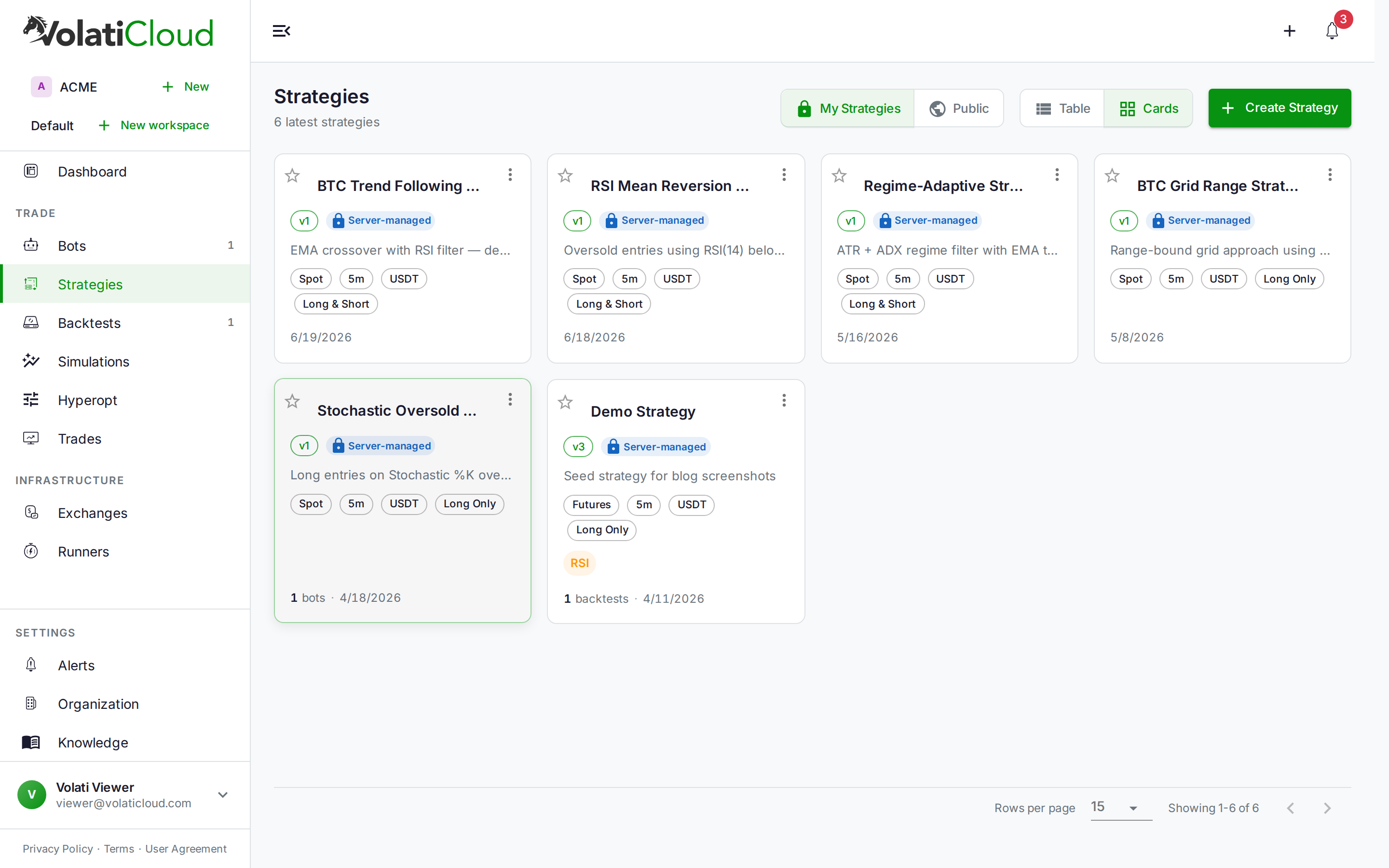
VolatiCloud's template gallery solves this by eliminating the cold start: instead of beginning with an empty builder, you choose one of six pre-built, backtest-ready archetypes. Your new strategy opens in the Studio pre-configured — indicators added, conditions wired, timeframe set, and risk parameters in place. You can submit a backtest within seconds of picking a template.
What the Template Gallery Is
The gallery appears during strategy creation. After entering your strategy name, a "Start from a template" option surfaces a panel with six strategy cards. Each shows:
- The strategy name and category chip (mean reversion, trend following, momentum, accumulation)
- A one-line description of when and why the strategy works
- The core indicators it uses, displayed as labeled chips
Select a card and click Use this template. The gallery closes, the form shows a confirmation that a template was applied, and when you submit, the Studio opens fully populated. If you prefer to build from scratch, a "Blank strategy" card sits at the bottom of the gallery — but it's deliberately secondary. The templates lead.
The Six Built-In Templates
| Template | Category | Key Indicators | Use Case |
|---|---|---|---|
| RSI Mean Reversion | Mean Reversion | RSI(14) | Oversold entries in range-bound markets |
| EMA Trend Crossover | Trend Following | EMA(9), EMA(21) | Fast/slow crossover signals in trending conditions |
| Bollinger Band Bounce | Mean Reversion | BB(20, 2σ), RSI(14) | Volatility contraction and squeeze setups |
| MACD Momentum | Momentum | MACD(12,26,9) | Signal-line crossovers and histogram divergence |
| Stochastic Swing | Swing Trading | Stochastic(14,3), EMA(50) | Overbought/oversold with trend filter for confirmation |
| DCA Dip Accumulator | Accumulation | EMA(200), RSI(14) | Dollar-cost averaging on pullbacks in uptrending assets |
Each template ships with a complete builder configuration. The Freqtrade config — timeframe, ROI table, stoploss, max open trades — is derived from the builder parameters automatically, so the two never drift. You get a coherent, self-consistent strategy out of the box.
How to Start from a Template
The workflow takes under a minute:
- Go to Strategies in the sidebar and click Create Strategy
- Enter a name for your strategy (e.g., "BTC RSI Bot v1")
- Click "Start from a template" — the gallery panel opens
- Browse the cards: each one shows the category, key indicators, and what kind of market it targets
- Click Use this template on the card you want
- The panel closes and the form shows a confirmation that a template was applied
- Click Create & Open Studio — the Studio opens pre-configured
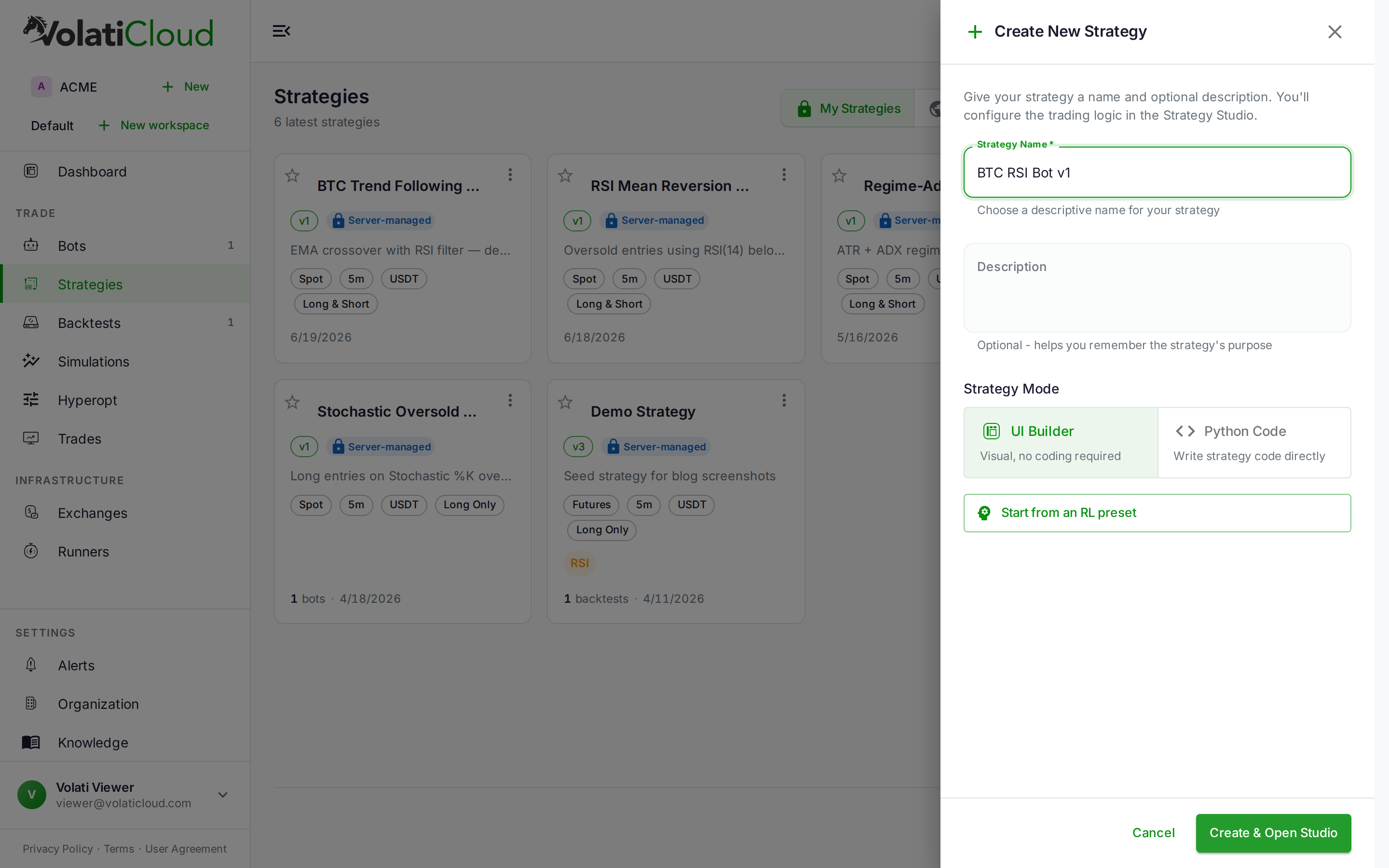
The creation form also lets you choose between UI Builder (visual, no-code) and Python Code modes. Template-seeded strategies always use UI Builder mode — every parameter is visible and editable through the drag-and-drop interface, no Python required.
What Gets Pre-Configured
Selecting a template seeds the Studio with a complete configuration snapshot:
Indicators — Added to the Indicators tab with their exact parameters. RSI Mean Reversion seeds RSI with period 14 and source Close. EMA Trend Crossover adds both the fast and slow EMA with the periods that match the template's logic.
Entry and exit conditions — Wired in the Logic tab. The RSI template sets entry when RSI(14) < 30 and exit when RSI(14) > 70, covering a complete round-trip. The EMA template uses crossover signals for both entry and exit.
Freqtrade config — The timeframe is set to match the archetype's intended cadence (5m–15m for short-term setups, 1h–4h for swing setups). Stoploss and ROI targets are calibrated to fit the template's typical trade structure.
Builder mode — Always set to UI Builder. Every element the template seeds is viewable and editable through the visual interface.
You can change any of this after creation. Edit indicator parameters, add a trend filter, tighten the stoploss — the Studio gives you full control over every field the template set.
For the DCA Dip Accumulator template, stick to 1h–4h timeframes. On 5m or 15m charts, the RSI dip signals fire too frequently and the safety order spacing loses its effectiveness. Longer timeframes give each "dip" signal enough weight to justify an entry.
Running Your First Backtest
Once your strategy is created from a template, running a backtest takes two more clicks. The Run Backtest button in the Studio toolbar opens the backtest drawer. Configure:
- Exchange — which exchange's historical data to use
- Pairs — the trading pair you want to test (BTC/USDT is a reliable baseline for most templates)
- Date range — at minimum six months; twelve to twenty-four months shows performance across different market regimes
- Timeframe — matches the template default unless you've changed it
Submit, and VolatiCloud downloads the OHLCV data and runs the Freqtrade engine. The results page returns Sharpe ratio, max drawdown, profit factor, total trades, and an equity curve.
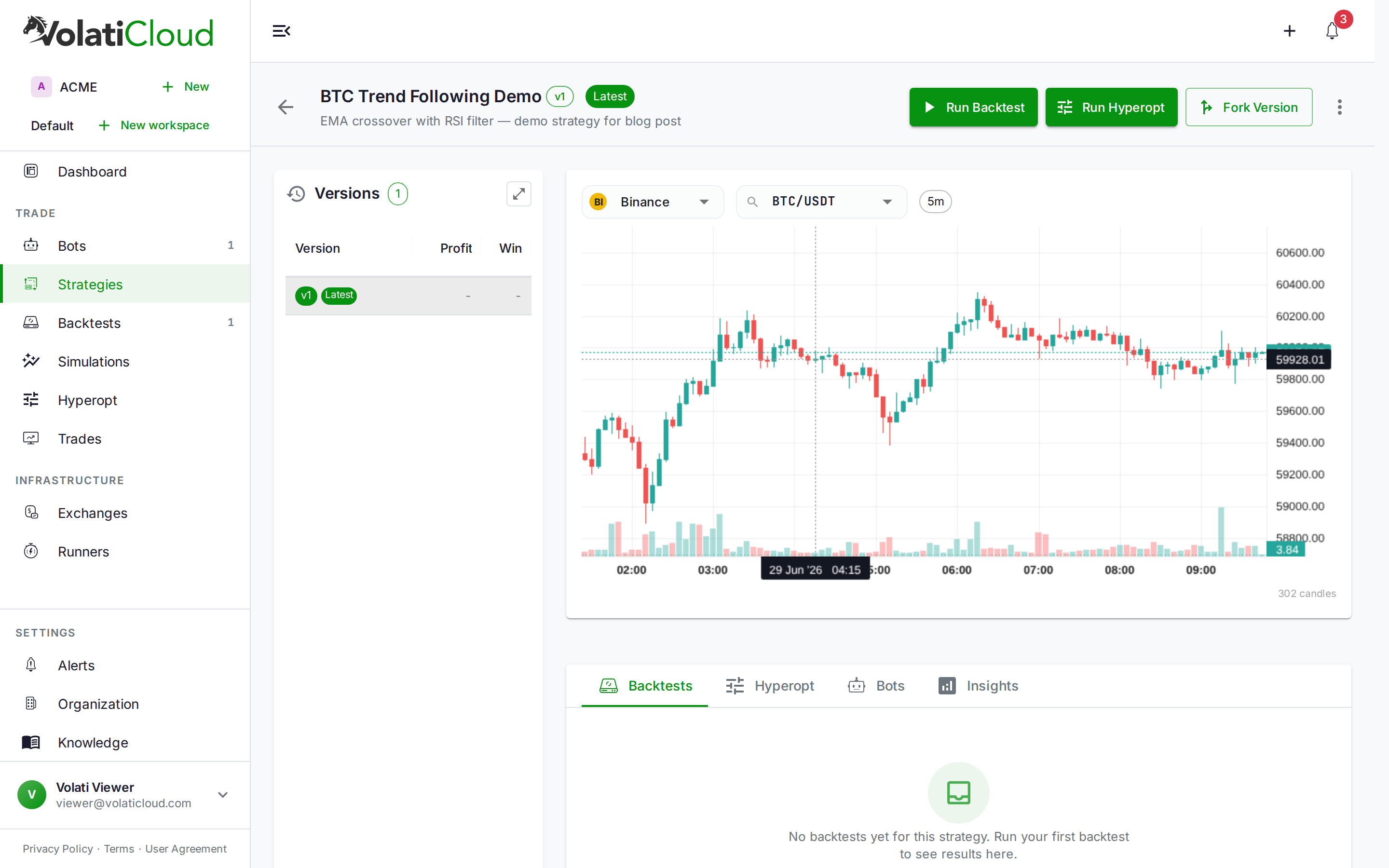
For a template-seeded strategy, this first backtest is your baseline. Template parameters are sensible defaults, not optimized values. You'll almost certainly see room to improve — and that's the point. Start here, iterate from there.
See the backtesting overview to understand the output metrics, and the running backtests guide for step-by-step configuration.
Template defaults are reasonable starting points, not live-trade recommendations. Always backtest before switching from paper to live trading, and check whether the strategy's performance holds up on out-of-sample data. The overfitting guide explains how to tell whether a backtest result is genuine or curve-fitted to history.
Simple Mode vs Pro Mode in the Studio
When you open the Studio with a template-seeded strategy, you'll see Simple and Pro mode tabs at the top. The distinction:
Simple mode surfaces the controls most traders need first: main entry/exit conditions, stoploss, timeframe, and stake amount. It's the fastest path to a running backtest without facing every available option at once.
Pro mode exposes the full builder: advanced callbacks, custom DCA safety order configuration, leverage controls, trailing stops, pair whitelists, and informative pairs. Template strategies are wired in Pro mode under the hood; Simple mode presents a curated subset of the most impactful controls.
Start in Simple. Run a backtest. When you want to tune further — add a trend filter, configure a trailing stop, expand to multiple pairs — switch to Pro mode and the additional controls appear.
From Template to Production
A template strategy is the starting gate, not the finish line. A realistic path from template to live trading:
- Pick a template that matches the market condition you want to trade
- Run a baseline backtest to see how the archetype performs on your target pair with default parameters
- Adjust the obvious parameters — indicator periods, entry/exit thresholds, stoploss depth
- Run hyperparameter optimization to search a defined parameter space systematically instead of tuning by hand
- Stress-test with Monte Carlo simulation to understand worst-case drawdown distributions before risking capital
- Paper trade — run the bot in simulation mode for at least a week to validate real-market execution quality
- Fork the strategy before any major parameter change so you can always return to the last working configuration
The strategy versioning and forking guide explains how to branch your strategy safely at each step, and the visual strategy builder overview covers how the no-code interface maps to the underlying Freqtrade strategy parameters.
Getting Started
The template gallery is available on all VolatiCloud accounts. Open the VolatiCloud console, create a new strategy, and choose a template to skip straight to the interesting part: backtesting and iterating.
For a deeper look at what's inside each template, the Strategy Builder documentation covers how indicators, conditions, and the Freqtrade config interact in the visual builder.