Exchange API Key Security: Why Your Trading Bot Can't Drain Funds

Giving a third party access to your exchange account sounds risky. In the worst-case scenario you can imagine, the platform gets hacked, your API keys are stolen, and your funds disappear. That scenario is real — but it is also completely preventable with one setting that costs you nothing to enable: withdrawal-disabled API keys. This post explains what that restriction actually does, the additional layers VolatiCloud enforces on top of it, and how to generate keys that even a full database breach cannot turn into stolen funds.
This post originally told you to lock your exchange API key to VolatiCloud's "published egress IPs", with per-exchange steps for doing it. That advice was wrong, and those steps have been removed.
VolatiCloud has no static egress IPs to publish. Bots run on an autoscaling pool of nodes and take the outbound address of whichever node they land on, which changes whenever a bot is rescheduled. A key locked to the addresses you can observe today will start failing authentication without warning — potentially mid-trade, with positions open.
The main argument of this post — that withdrawal-disabled keys are the control that matters, and that VolatiCloud enforces them rather than merely recommending them — is unchanged and still true. See IP Allowlisting for the full explanation and for what to do instead.
What Exchange API Keys Actually Grant
When you connect an exchange account to a trading bot, you generate an API key and secret on the exchange. That key is a scoped credential: it proves you authorized something on your behalf, but the specific permissions depend entirely on what you checked when you created it.
Most exchanges offer a permission model like this:
| Permission | What it allows |
|---|---|
| Read | View balances, positions, order history |
| Trade | Place and cancel orders |
| Withdraw | Transfer funds to external addresses |
| Transfer | Move funds between sub-accounts or wallets |
| Margin | Manage margin positions |
A trading bot needs exactly one of these: Trade. Everything else is either unnecessary or actively dangerous to grant to an automated system you don't control every second.
The withdrawal permission is the dangerous one. An API key that can withdraw can drain your entire balance to an external wallet in seconds — one API call, no 2FA prompt, no email confirmation on most exchanges. If that key is compromised, the window between an attacker getting your key and your funds being gone can be measured in seconds.
The Withdrawal-Disabled Standard
The industry convention for trading bot API keys is simple: never generate a key with withdrawal permissions.
A withdrawal-disabled key can trade on your behalf but cannot move funds off the exchange. Even if the key is leaked in a database breach, exposed in a log file, or intercepted in transit, an attacker holding it can do exactly one thing: place and cancel orders. They can't drain your account. They can't transfer funds to their wallet. The worst they can do is make bad trades — which your bot's stop-loss settings will contain.
This is not an optional best practice. It is the minimum viable security posture for any API key you share with a third party. If you're connecting keys to any platform — VolatiCloud or anyone else — verify withdrawal permissions are off before you paste the key.
How VolatiCloud Enforces This
Until recently, most platforms in this space recommended withdrawal-disabled keys. VolatiCloud now enforces them.
When you connect a Binance API key, VolatiCloud automatically checks whether the key has withdrawal permissions. If it does, the connection is rejected with a clear error before the key is ever stored. You cannot create an exchange connection with a withdrawal-capable Binance key — the UI and API both block it.
This enforcement removes the human error vector. You don't have to remember to disable withdrawal. You don't have to read a security guide buried in the documentation. The platform catches the misconfiguration at connection time and tells you exactly how to fix it.
We are rolling this out across all supported exchanges. Binance is live today; the remaining exchanges follow in the next wave.
A Second Layer: Scope and Sub-Accounts
Withdrawal-disabled keys prevent fund drainage. The next question is how to limit what a key can reach even for trading.
The answer is not IP allowlisting. VolatiCloud has no fixed outbound address, so a key restricted to the addresses you observe today will break when a bot is rescheduled — the reasoning is in IP Allowlisting.
What works instead is narrowing the key itself:
- Issue it against a dedicated sub-account funded with only the capital you intend to trade. The key cannot reach the rest of your balance, regardless of where the request comes from.
- Turn off every scope the strategy does not use — futures for a spot-only bot, margin and borrowing for a long-only bot.
- Rotate every 90 days, so a leak nobody noticed still has a bounded lifetime.
Combined with withdrawal-disabled enforcement, even the most pessimistic scenario — full database exfiltration — leaves an attacker holding keys that:
- Cannot withdraw funds
- Can only reach the sub-account balance you chose to expose
- Are encrypted at rest (see below)
That's a substantially contained blast radius.
At-Rest Encryption for Every Key You Store
API keys you connect to VolatiCloud are encrypted before they reach the database. The current implementation uses AES-256-GCM with a per-field initialization vector, backed by a managed KMS (HashiCorp Vault). Raw key material is never stored in plaintext.
Every read of an encrypted field is logged: who requested it, which resource, from what IP, at what time. Organization admins can view the audit log under Settings → Security. The audit log is also exportable to CSV if you want to pipe it into your own SIEM.
The detailed encryption design is in Security → Encryption.
How to Generate the Right API Keys
Here's the pattern for each major exchange. The exact UI varies by exchange but the principles are the same.
Binance
- Log in → Profile → API Management → Create API
- Choose System-generated or Self-generated key type
- Under permissions, check only Enable Reading and Enable Spot & Margin Trading
- Leave Enable Withdrawals unchecked (it is unchecked by default — keep it that way)
- Leave IP access restrictions unrestricted — VolatiCloud has no fixed address to allowlist (why)
- Copy the API key and secret, then connect them in VolatiCloud
VolatiCloud verifies the key at connection time and rejects it if withdrawal is somehow enabled.
Bybit
- Account → API → Create New Key
- Select System-generated API keys
- Under API Key Permissions, select Read-Write for the Spot or Unified Trading section
- Do not enable Assets (this controls transfers and withdrawals)
- Leave IP restriction unset — VolatiCloud has no fixed address to allowlist
Kraken
- Settings → API → Add key
- Under Key Permissions, check Query Ledger Entries, Query Open Orders & Trades, Create & Modify Orders, Cancel/Close Orders
- Leave Withdraw Funds unchecked
- Leave IP whitelisting empty — VolatiCloud has no fixed address to allowlist
The same logic applies to OKX, KuCoin, and every other supported exchange: trading permission on, everything else off. The supported exchanges doc lists each integration; the security setup follows the same pattern across all of them.
What VolatiCloud Can (and Cannot) Do on Your Behalf
Understanding the permission boundary matters for your own mental model.
With a read + trade API key, VolatiCloud can:
- View your balances and open positions (needed for portfolio calculations)
- Place market, limit, stop, and OCO orders
- Cancel open orders
- Read your trade history for P&L tracking
VolatiCloud cannot:
- Withdraw funds to any external address
- Transfer funds between your exchange sub-accounts
- Change your exchange account settings
- Access other exchanges (each connection is scoped to its own key)
This boundary is enforced at the exchange, not just at VolatiCloud. Even if a bug in our software tried to issue a withdrawal request, the exchange would reject it because the key doesn't have that permission.
The Trust Roadmap: What Comes Next
Withdrawal-disabled enforcement and at-rest encryption address the external threat — a leaked database or compromised infrastructure component. The remaining challenge is the insider threat: VolatiCloud employees with legitimate database access can currently decrypt sensitive fields as part of normal operations.
We are honest about this gap, and we are closing it in phases.
Trust Tier 1 (in progress) — customer-supplied passphrase encryption. You set a passphrase for your organization. Your exchange keys are encrypted with a key derived from your passphrase via Argon2id, combined with our KMS-held key through envelope encryption. Neither your passphrase alone nor our KMS key alone can decrypt the data — both are required.
Trust Tier 2 (Wave 2) — passkey-backed end-to-end encryption. Your exchange keys and strategy code are encrypted in your browser, with the wrapping key bound to your hardware passkey (Face ID, Windows Hello, a FIDO2 key). We mathematically cannot decrypt without your explicit authorization.
Trust Tier 3 (Wave 2) — Bring Your Own Key. Your organization brings its own master key hosted in your AWS KMS, GCP Cloud KMS, Azure Key Vault, or HashiCorp Vault. You can revoke our decryption access with a single IAM policy change.
The full roadmap is in Security → Threat Model. Each tier ships as a discrete product change with its own public announcement, so you can see exactly what's changing and when.
Connecting Your First Exchange
Ready to connect? Here's the path:
- Generate a withdrawal-disabled, minimally-scoped API key on your exchange (steps above)
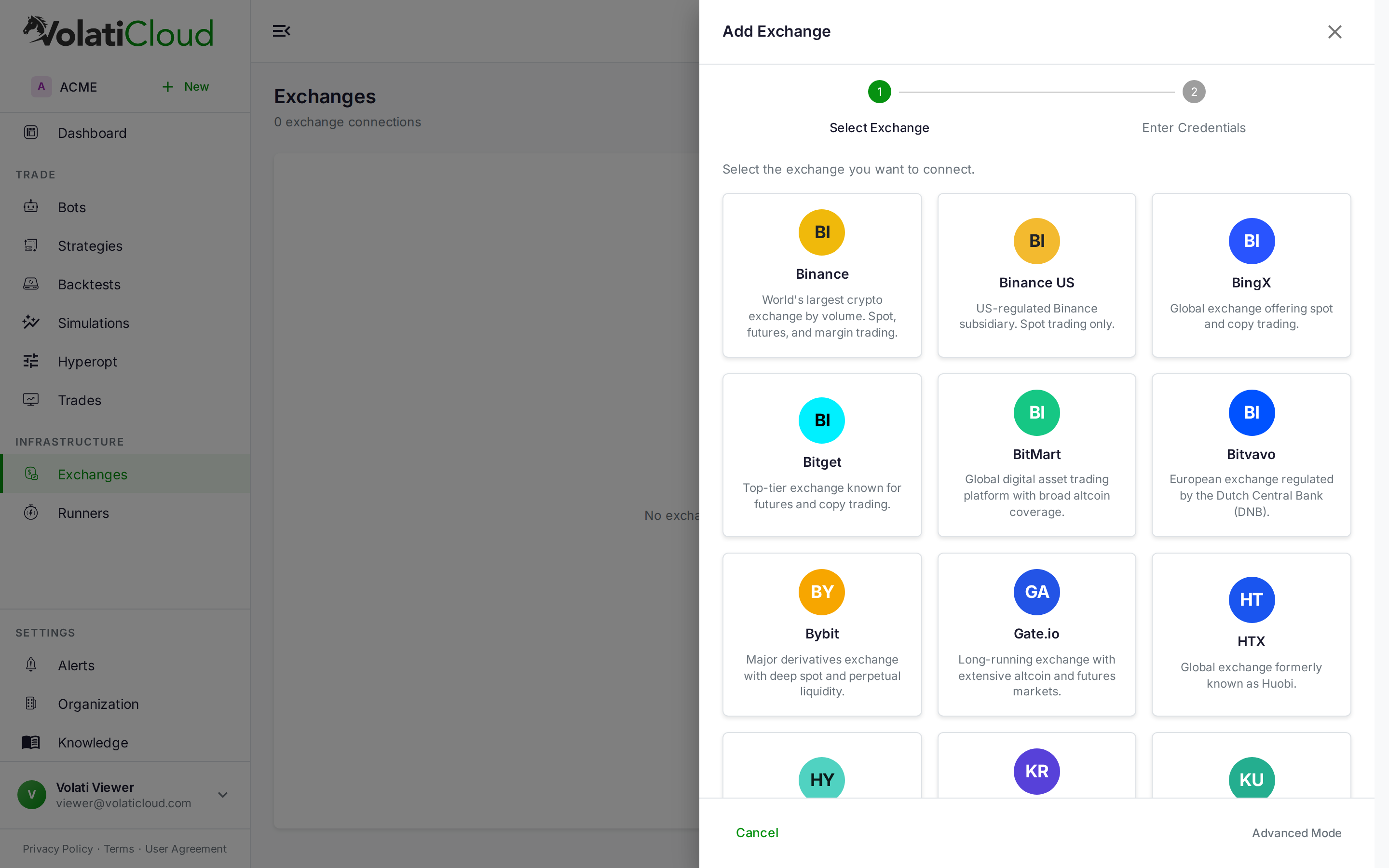
- Open console.volaticloud.com → Exchanges → Add Exchange
- Select your exchange, paste the key and secret, and click Connect
- VolatiCloud validates the key's permissions in real time. If withdrawal is enabled, you'll see an error with instructions to fix it before the key is stored
From there, the exchange appears in your bot configuration, Strategy Builder, and backtest pair picker. Everything is scoped to trading — withdrawal never enters the picture.
If you haven't set up a bot yet, the getting started guide covers the full flow from exchange connection to first live trade in about 15 minutes.
The best security controls are the ones you can't accidentally skip. Enforcement at connection time — rather than a checkbox in a security guide — means every exchange connected to VolatiCloud is already safe by default. Withdrawal-disabled keys and at-rest encryption aren't features you have to remember to enable; they're the only way the platform lets you connect.