Protect Your Trading Strategies with Passphrase Encryption

Your trading strategy is intellectual property — an algorithm that took months of backtesting, tuning, and real-capital validation to develop. VolatiCloud's passphrase encryption changes who can read it: after setup, neither an insider nor an attacker with full database access can decrypt your strategy code without your passphrase.
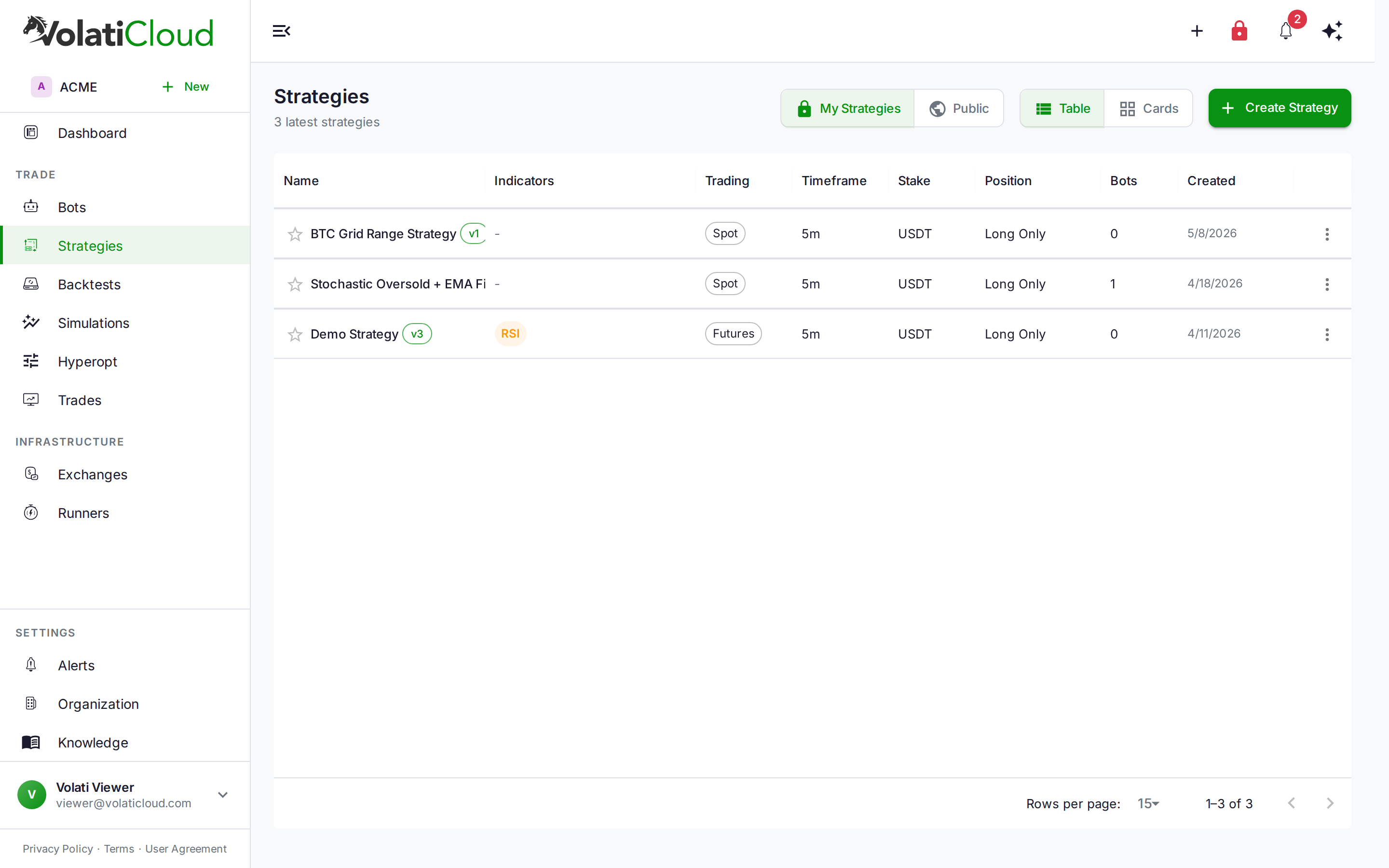
The Problem with Server-Side Encryption Alone
Most SaaS trading platforms encrypt data at rest — including VolatiCloud's baseline tier. The baseline uses AES-256-GCM with a server-managed master key, which protects against database theft and storage-layer attacks. But it has a fundamental limitation: the platform controls the key, so the platform can always decrypt.
That's fine for most users. But if you've invested serious effort in a proprietary strategy, you may want a stronger guarantee: that the platform itself cannot read your code without additional input from you.
Passphrase encryption provides that. It's VolatiCloud's Trust Tier 1 — a step up from the baseline that requires your passphrase to decrypt anything, making joint-custody encryption the operational model.
How Passphrase Encryption Works
The mechanism is envelope encryption with Argon2id key derivation:
- Your organization sets a passphrase. It is never stored — only a PHC-encoded Argon2id verifier lives on the server, so VolatiCloud can validate passphrase entries without holding the passphrase itself.
- The decryption key is derived from your passphrase via Argon2id — the current best practice for password-based key derivation, tuned to make brute-force attacks expensive.
- This derived key is combined with the server-held master key via envelope encryption. The result: server alone cannot decrypt (it has the master key but not your passphrase), and passphrase alone cannot decrypt (you know the passphrase but not the server key). Both are required.
- Strategy code, bot configuration, and UI Builder definitions are encrypted under this combined key before reaching the database.
This is meaningfully stronger than the baseline: even a VolatiCloud insider with full database access and access to the server master key cannot recover your strategy without your passphrase.
Setting Up Passphrase Encryption
Navigate to Organization → Security and find the Encryption Features section.
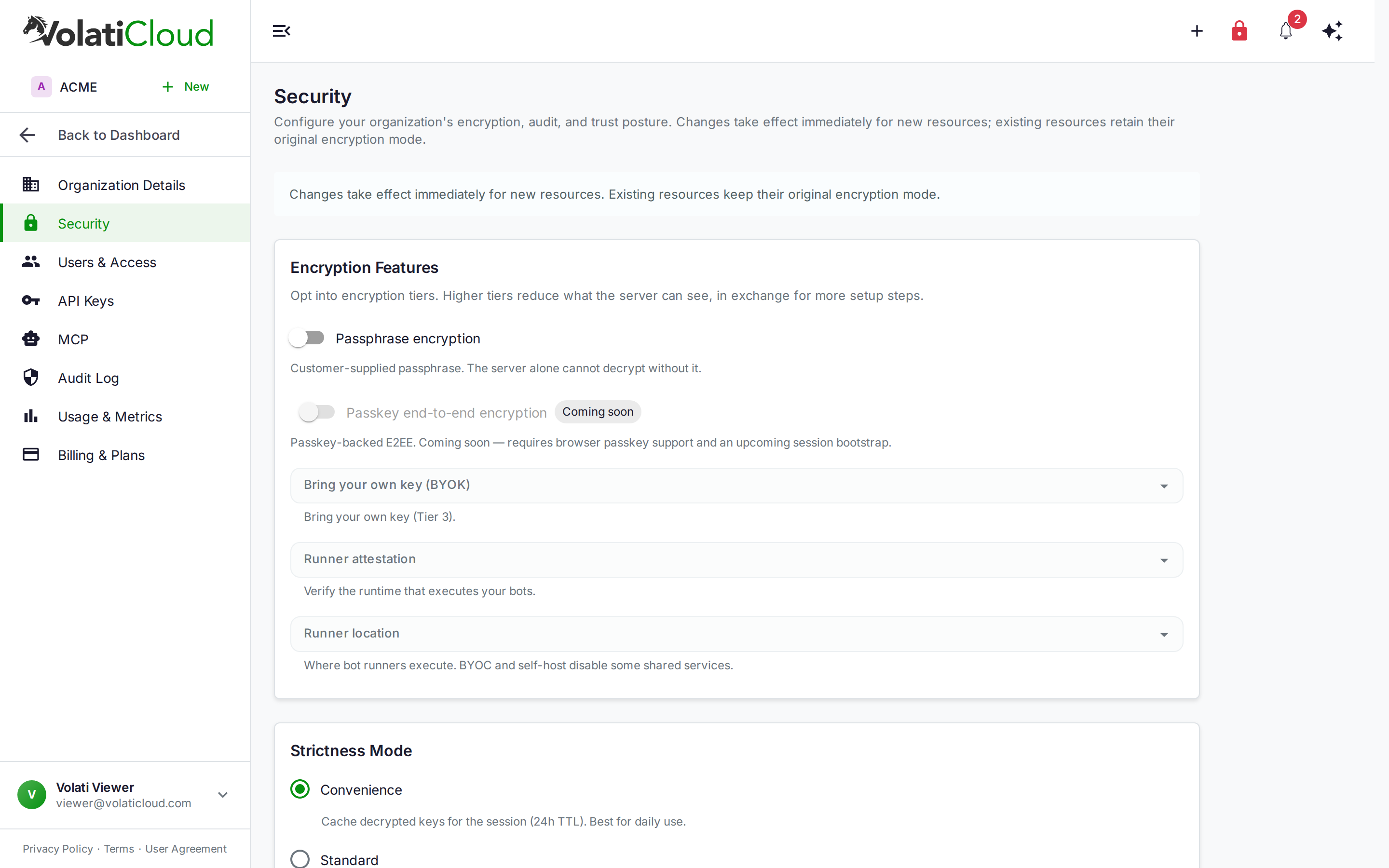
Toggle on Passphrase encryption and you'll be prompted to set your organization's passphrase. Once set:
- All new saves of strategies, bot configs, and UI Builder definitions are encrypted under the combined key
- Existing resources retain their original encryption mode until re-saved
- The passphrase prompt appears whenever you or a team member accesses encrypted content (frequency depends on your Strictness Mode setting — see below)
Passphrase requirements: use something long and not reused from other services. Because Argon2id makes derivation slow, brute-force attacks are expensive — but a short passphrase still narrows the search space significantly.
There is no passphrase recovery. If you lose the passphrase and have no backup, your encrypted strategies and configurations are permanently inaccessible. Store your passphrase in a password manager or secure vault before enabling encryption.
Strictness Mode: Convenience vs. Standard
The Strictness Mode setting on the Security page controls how often the platform asks you to re-enter the passphrase:
| Mode | Behavior | Best for |
|---|---|---|
| Convenience | Decrypted keys are cached for the session (24-hour TTL) | Day-to-day trading where frequent re-entry would interrupt workflow |
| Standard | More frequent re-authentication; shorter cache window | Security-sensitive environments, shared workstations, compliance scenarios |
For most individual traders, Convenience mode provides the right balance — you enter the passphrase once per session and the platform handles the rest. Standard mode makes sense if multiple people share access to the account or if you're in an environment with specific authentication requirements.
The cache is session-scoped and never written to persistent storage. Closing the browser or expiring the session clears it.
What Gets Encrypted
With passphrase encryption active, the following fields are encrypted before storage:
- Strategy source code — the Python logic Freqtrade executes, including entry/exit signals, callbacks, and indicators
- Bot configuration — stake amount, stoploss, ROI table, trading pairs, leverage settings
- UI Builder definition — your visual indicator tree and condition logic from the Strategy Builder
Fields that remain unencrypted (plaintext in the database):
- Strategy metadata (name, timeframe, description, tags)
- Backtest results and trade history
- Monitoring telemetry and performance metrics
The unencrypted metadata is what makes searches, list views, and sharing work without requiring a passphrase for every page load. The encrypted fields are the ones that reveal your trading logic.
Using Encrypted Strategies Day-to-Day
After enabling passphrase encryption, opening a strategy in the Studio triggers an unlock step — a modal asking for your passphrase (or using your cached session key if Convenience mode has a live cache). After a successful unlock, the Studio loads normally with the decrypted content.
Saving a strategy re-encrypts the current content and updates the ciphertext in the database. The passphrase isn't re-requested on save if the cache is still valid.
Running backtests and deploying bots work the same way: the encrypted config is decrypted at the application layer when needed, and the running Freqtrade container receives plaintext config through a secure path — it never touches the encrypted form.
The Trust Ladder: Where Passphrase Fits
VolatiCloud is building encryption in tiers. Passphrase encryption is Tier 1:
| Tier | Status | Mechanism | Who can decrypt |
|---|---|---|---|
| Baseline | Available | Server-side AES-256-GCM | VolatiCloud (audited, logged) |
| T1 — Passphrase | Available now | Argon2id + envelope encryption | Joint (you + VolatiCloud jointly) |
| T2 — Passkey E2EE | Coming soon | Browser crypto, passkey-wrapped DEK | You only (hardware-enforced) |
| T3 — BYOK | Planned | Your own KMS (AWS, GCP, Azure Key Vault) | You via your infrastructure |
T1 is a significant step — the server cannot decrypt your strategies without your input. T2 goes further: a browser-side crypto scheme where your hardware passkey wraps the decryption key, making it mathematically impossible for VolatiCloud to read your code even with the passphrase and database combined. T2 is in active development and will appear on the same Security page when it ships.
T3 brings your own KMS for organizations that require key material to live inside their own infrastructure — AWS KMS, GCP KMS, Azure Key Vault, or a hardware security module.
See the Encryption overview for the full current posture and the Threat Model for the actor analysis behind each tier.
Practical Recommendations Before Enabling
Audit your current strategies first. Check which strategies are active, which are archived, and which are genuinely proprietary. Enable encryption for the ones where the logic represents competitive value. Public strategies or bots running simple public-domain systems may not need T1.
Test the unlock flow before you depend on it. Enable passphrase encryption on a test organization or a throwaway strategy, go through a full unlock cycle, and confirm your passphrase is correctly stored in your password manager before encrypting anything you can't afford to lose.
Coordinate with your team. If your organization has multiple users, everyone who accesses encrypted strategies will need to know the passphrase. The organization passphrase is shared — not per-user. This is different from T2 (passkey E2EE), where encryption is bound to individual hardware keys.
Back up the passphrase separately from your device. A password manager entry is good; a printed copy in a secure location is better as a second factor. If your device is lost and your only passphrase copy was on it, the strategies are gone.
Checking What's Encrypted
After enabling passphrase encryption and re-saving some strategies, you can confirm which resources are encrypted by reviewing the Audit Log (Organization → Security → Audit Log). Every sensitive-field read is logged with the accessor's identity, resource ID, timestamp, and source IP — so you can verify that decryption events are only happening when expected.
The Audit Log is also useful for post-incident review: if you ever suspect unauthorized access, the log shows a complete history of who read which encrypted fields and when.
Getting Started
Passphrase encryption is available on all plans. The setup takes under a minute:
- Open Organization → Security
- Toggle on Passphrase encryption and set your passphrase
- Choose a Strictness Mode (Convenience for everyday use, Standard for higher security)
- Open and re-save any existing strategies you want to encrypt — or create new ones; they'll be encrypted automatically
For more on how the exchange credentials feeding your bots are protected, see Exchange API Key Security. For the full strategy lifecycle from creation to live deployment, see Strategies overview.
Ready to put your strategies behind joint-custody encryption? Open VolatiCloud and navigate to Organization → Security.