Passkey-Encrypted Strategies: Your Algorithm Stays Yours

Your trading strategy's logic is a competitive asset. A finely tuned MACD divergence filter, a multi-timeframe confluence signal, a DCA ladder calibrated to your risk tolerance — that intellectual work has real value. It lives in your account on our servers, and until now you had to trust that we would keep it safe. With passkey-bound strategy encryption, you don't have to.
When you mark a strategy as passkey-protected at creation time, its configuration, UI Builder logic, and analysis metadata are encrypted in your browser before they ever reach VolatiCloud's servers. The encryption key is wrapped around your hardware passkey — Touch ID, Face ID, Windows Hello, or a security key like a YubiKey. We store only the ciphertext. Without your physical passkey, even a hostile actor with full read access to the database has nothing but noise.
Why Strategy Code Deserves More Than Server Trust
The standard model for a SaaS application is straightforward: you hand the provider your data, they encrypt it with a key they control, and you trust their security posture. That trust model works for a lot of use cases. For algorithmic trading strategies, it's worth examining what you're actually trusting.
If your strategy contains anything worth copying — a profitable indicator combination, a carefully chosen set of hyperopt parameters, a risk management approach that has survived multiple market regimes — that value is fully accessible to anyone who can read your row in the database. That includes:
- An insider at the infrastructure level
- A compromised database backup
- A cloud provider read under a subpoena
- Any attacker who achieves database-level access
Field-level AES-256-GCM encryption (which VolatiCloud has applied since launch for exchange keys and credentials) protects secrets from database dumps, but the master key lives on the server. The server can still decrypt. Field-level encryption is a meaningful defense against storage-layer attacks; it's not a defense against an authorized server process reading your data.
Passkey-bound E2EE changes the trust boundary entirely.
How Passkey-Bound Encryption Works
The scheme is envelope encryption with a hardware-bound wrapping key. Three components are involved:
1. A per-strategy Data Encryption Key (DEK)
When you create a passkey-protected strategy, your browser generates a fresh 256-bit AES-GCM key — the DEK — in memory. This key encrypts the strategy's config, UI Builder specification, and analysis metadata before transmission. The DEK itself is never sent to the server in plaintext.
2. WebAuthn PRF extension
Your registered passkey (biometric or hardware token) exposes a Pseudo-Random Function (PRF) — a deterministic key derivation operation tied to your device's secure enclave or hardware authenticator. The PRF output, combined with an ephemeral ECDH public key, derives a wrapping key that encrypts the DEK. The resulting wrapped DEK envelope is what gets stored on the server alongside the ciphertext.
3. Server-side passthrough
The VolatiCloud backend stores the ciphertext and the wrapped DEK envelopes. It has no access to the wrapping key (that lives in your hardware) and no access to the DEK (that's inside the ciphertext). GraphQL queries that return encrypted strategy fields return the raw ciphertext; the client decrypts locally after a successful passkey touch.
The practical result: the decryption key never leaves your device. The overlay you see when opening a passkey-protected strategy — "Unlock with passkey" — triggers a WebAuthn assertion, derives the wrapping key, decrypts the DEK in memory, decrypts the strategy fields, and hands the plaintext to the editor. Nothing persists to the server or to browser storage.
Enabling Passkey Protection on a New Strategy
Passkey encryption is opt-in. To use it, you need at least one hardware passkey enrolled under Account → Security. Once enrolled:
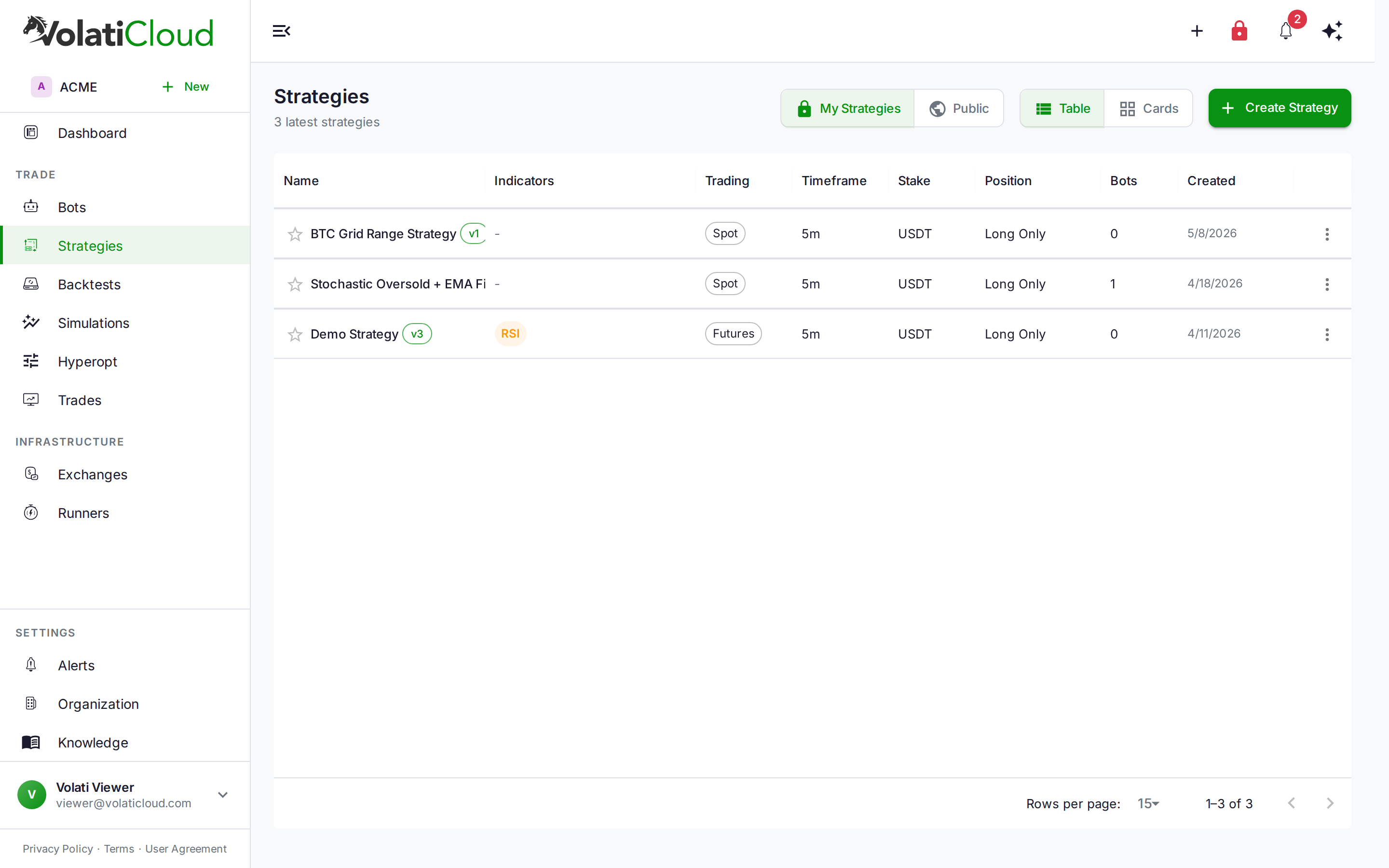
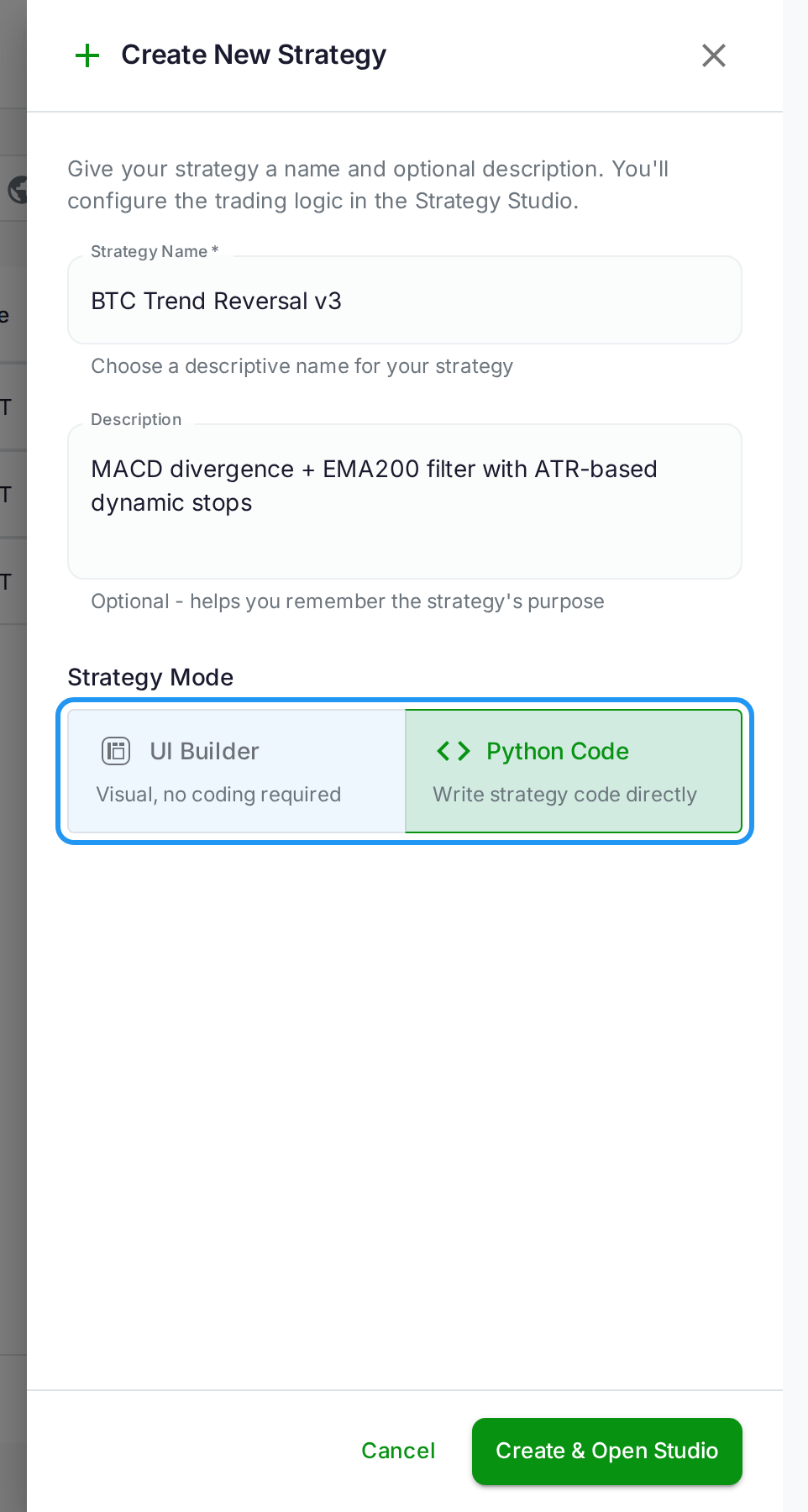
- Open the Create Strategy drawer from the Strategies list.
- Switch the builder mode selector to Code (the encryption toggle is currently available for code-mode strategies).
- A toggle labeled Protect with passkey appears if you have an active passkey registered. Enable it.
- Fill in the strategy name and description as usual, then submit.
Your browser generates the DEK, encrypts it with your passkey's PRF output, and sends only the ciphertext and wrapped DEK envelope to the server. The strategy is stored encrypted from the first byte.
You can migrate an existing unencrypted strategy to passkey protection by opening it in edit mode and saving — VolatiCloud's Studio will re-encrypt the fields under your passkey on the next save if you've enabled the protection toggle. For UI Builder strategies, a setStrategyUIBuilderEncrypted escape hatch handles the conversion path.
Opening a Passkey-Protected Strategy
When you click a passkey-encrypted strategy in the list, the Strategy Studio renders a lock screen in place of the editor:
"This strategy is encrypted with your passkey. Tap a registered passkey to unlock — the decryption key never leaves your device."
An Unlock with passkey button triggers the WebAuthn ceremony. Your browser prompts for biometric confirmation (or a hardware key tap), derives the unwrapping key, decrypts the DEK from the stored envelope, and decrypts the strategy fields in memory. The editor appears with the plaintext, and the session holds the decrypted fields in memory for the duration of your editing session. Nothing is written back to the server until you explicitly save — and on save, the fields are re-encrypted before transmission.
If you navigate away and return, you'll see the lock screen again. This is by design: the DEK is not persisted anywhere between page loads, so there is no window during which an attacker who gains access to your browser session can read encrypted strategies without completing a fresh passkey touch.
Why Hardware Authenticators Raise the Bar
WebAuthn — the W3C standard behind passkeys, YubiKeys, Touch ID, and Windows Hello — provides one property a password cannot match: non-exportability of the private key.
When you register a hardware authenticator, the device generates an asymmetric key pair inside its secure element. The private key never leaves that hardware — not to the browser, not to the OS, not to any application. The device can sign challenges with it, but it cannot be read, copied, exported, or exfiltrated.
What that changes, threat by threat:
| Threat | Passphrase | Passkey (hardware) |
|---|---|---|
| Database breach | Protected by encryption | Protected by encryption |
| Key material exfiltrated from server | N/A — key is derived, never stored | N/A — DEK is wrapped, never stored raw |
| Phishing / credential theft | Vulnerable | Not vulnerable — there is no credential to hand over |
| Keylogger on your device | Vulnerable | Not vulnerable — nothing is typed |
| Malware reading browser memory | Partially vulnerable | Not vulnerable — the key stays in the secure element |
| Legal compulsion on VolatiCloud | Decryptable only with your passphrase | Undecryptable — we do not hold the key |
| Authenticator lost or stolen without its PIN | N/A | Recoverable via a backup passkey |
A passphrase protects against server-side compromise because the key is split between the server and something you know. A hardware passkey adds protection against on-device software attacks, because the signing key stays in hardware where software cannot reach it.
Multi-Passkey Accounts and Recovery
If you register more than one passkey (say, a MacBook and a YubiKey as a backup), the DEK is wrapped once per passkey — each enrolled device gets its own envelope. The server stores all envelopes; your client uses whichever one corresponds to the passkey you authenticate with. Removing a passkey from your account requires re-encrypting any strategies that used it; the platform prompts you through this before allowing passkey deletion.
Adding a device is a re-wrap, never a re-encrypt. Your browser unwraps the DEK with an already-enrolled passkey, re-wraps that same DEK with the new passkey's public key, and stores the new envelope alongside the existing one. Each wrapped_dek entry is independent — any one of them unlocks the strategy, and removing a passkey removes only that device's envelope.
Register at least two passkeys — a primary, and a backup kept somewhere physically separate. If you lose access to every enrolled passkey there is no server-side recovery path. VolatiCloud mathematically cannot recover the plaintext without your authenticator.
Recovery passkeys — a separate enrollment category — do not serve as encryption keys. They're reserved for account access recovery and cannot unlock strategy ciphertext. This separation prevents recovery credential compromise from exposing your strategy contents.
Passkey encryption covers strategy config, UI Builder specification, and analysis metadata — the parts that carry your signal logic, parameter values, and hyperopt history. It does not currently encrypt the strategy's Python source code field (strategy.code), which is handled by the separate T1.x passphrase-based encryption tier. If you use Code mode with a custom Python file, you may want to enable both layers. The trust roadmap in the security documentation covers what will move under passkey protection in future tiers.
The Trust Ladder
Passkey-bound encryption is Trust Tier 2 in VolatiCloud's phased security roadmap. Here's where the tiers stand today:
| Tier | Description | Status |
|---|---|---|
| T0 | Field-level AES-256-GCM, server holds master key | Shipped — exchange keys, runner credentials |
| T1 | Passphrase-derived KEK (Argon2id), server + passphrase required | Available for passphrase-protected strategies |
| T2 | Passkey-bound E2EE, hardware + server required | Now available |
| T3 | Bring Your Own Key (BYOK) — AWS/GCP/Azure KMS | Roadmap |
Each tier raises the bar for what an attacker needs to reach plaintext. T2 requires physical possession of a registered passkey and a live WebAuthn assertion — there is no software-only path to the data.
The full defense model — what's protected, what isn't, and why — is in the Threat Model documentation.
What This Means for Team Accounts
Passkey encryption is per-user, not per-organization. When you encrypt a strategy with your passkey, your teammates cannot read it — even teammates with edit scope on the strategy. This is intentional and reflects the "your key, your data" premise.
Shared strategies (strategies you've marked public, or strategies owned by a shared service account) should remain unencrypted, because any team member may need access. Reserve passkey encryption for strategies that represent proprietary IP you want protected even from platform-level access.
For teams where multiple users need to access the same encrypted strategy, each user can enroll their passkey against the strategy by opening it in edit mode while it's decrypted — VolatiCloud wraps the DEK for each enrolled passkey and stores all envelopes. This mirrors how GPG encryption works with multiple recipients, and means the strategy remains accessible to any authorized team member who taps their device.
Getting Started
- Enroll a passkey at console.volaticloud.com → Account → Security → Passkeys.
- Create a new strategy, switch to Code mode, and enable the Protect with passkey toggle.
- Review the encryption documentation for the full technical posture and audit trail guidance.
Strategy code is often the hardest thing to rebuild after a breach. Passkey encryption means that even in a worst-case infrastructure scenario, what your competitors see is encrypted noise — and the key is your fingerprint.
Related reading:
- Exchange API Key Security: Why Your Trading Bot Can't Drain Funds — how API key scoping limits exchange-level exposure
- Strategy Versioning and Forking: Protect and Share Your Work — how immutable versioning and public/private visibility work alongside encryption
- VolatiCloud Security Overview — the full security posture in one place